

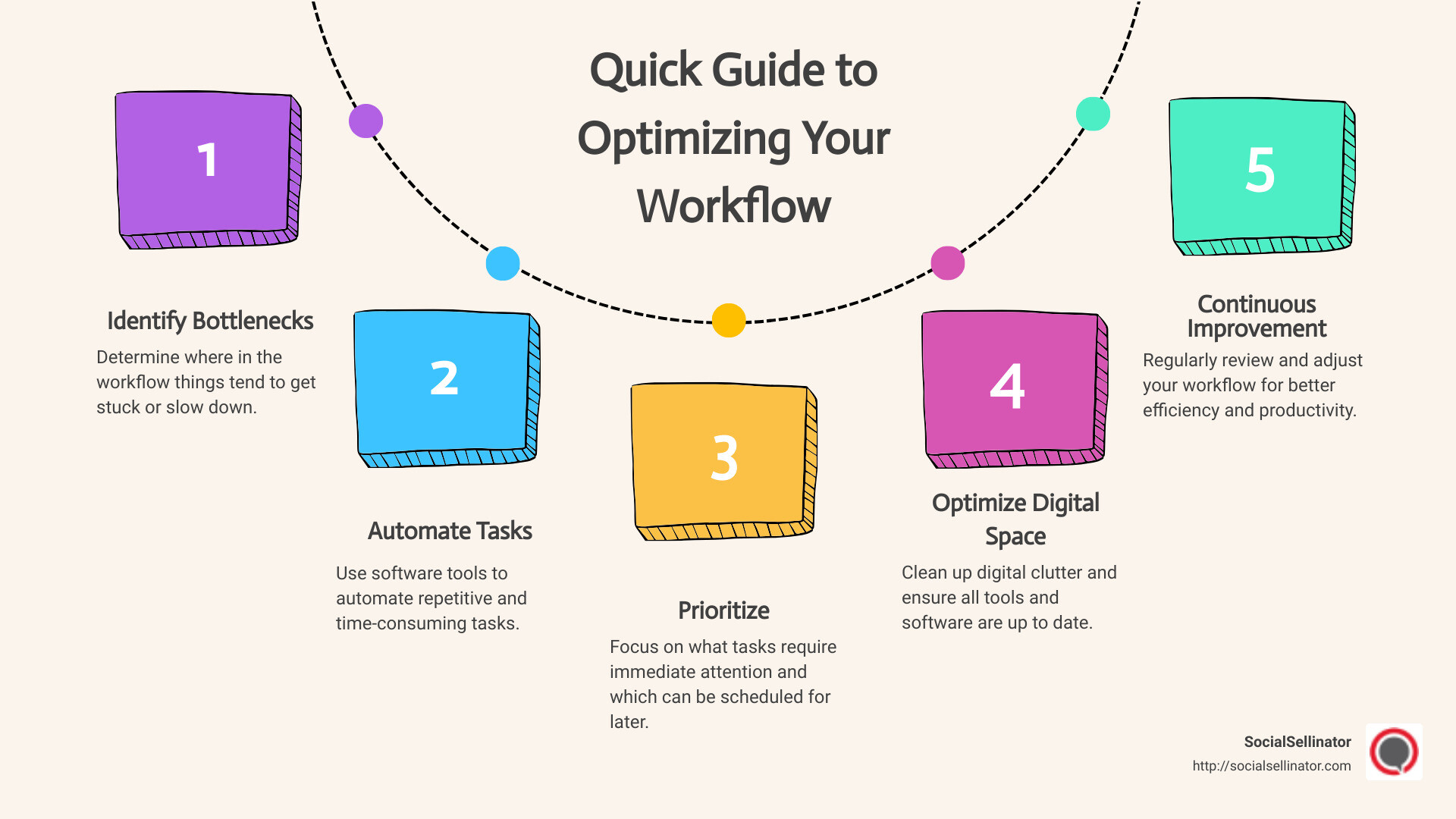
Quick Guide to Optimizing Your Workflow:
- Identify where things get stuck.
- Use tools to cut down on repetitive tasks.
- Decide what needs your attention first.
- Tidy up your digital tools and spaces.
- Keep checking and adjusting your methods.
To optimize your workflow, start with one part of the workday that feels harder than it should. Where does your team spend time waiting or repeating a step? For busy marketing heads and digital wizards at small to midsize businesses, the goal isn’t to work harder; it’s to work smarter.
When the next task is always waiting, finding ways to streamline your efforts can transform your day-to-day responsibilities from overwhelming to manageable. Think of it as decluttering your digital desk: every piece in its right place, and every step taken makes sense.
Step 1: Identify Bottlenecks
When we talk about optimizing your workflow, the first step is like being a detective in your own office. You’re on the lookout for bottlenecks. These are the spots where work piles up, slows down, or even stops altogether. Look for the step where work arrives faster than the team can finish it. What is waiting there, and why?
Analysis and Evaluation
Start with a simple question: Where do things get stuck? This could be a task that takes too long to complete, a process that everyone avoids, or a step that requires waiting for someone else’s input. To identify these bottlenecks, you need to analyze your workflow from start to finish.
Keep a log for a week or two, noting down where delays happen. Ask your team members for their input as well. They might spot issues that aren’t immediately obvious to you.
Tools to Help
Thankfully, you don’t have to do this with pen and paper. Workflow visualization tools like Kanban boards can help. Map tasks on a board with a column for each stage. Look for a column where unfinished work accumulates.
For more in-depth analysis, if you use workflow software, check whether it records wait times at each handoff.
If your bottleneck is finding approved creative files or scheduling social posts, compare media management solutions against those tasks.
Identifying bottlenecks is not a one-time task. It’s something you should do regularly. As your team, tools, and tasks change, new bottlenecks can emerge. Staying vigilant means you can catch them early and keep your workflow smooth.
Once you’ve identified the bottlenecks, you’re ready to move on to the next step: finding ways to automate repetitive tasks. This could mean investing in new software, reassigning responsibilities, or rethinking your approach to certain tasks. But before you can fix the problem, you need to know where it lies.
Step 2: Automate Repetitive Tasks
Efficiency is key. Choose a repetitive task with clear rules. Compare the time spent doing it manually with the time spent setting up and checking the automation. If it saves time, automation can let you focus on more important, higher-value activities.
Automation Tools
Automation involves using software to handle tasks that you would otherwise do manually. This could be anything from scheduling social media posts to sorting your emails.
Software: There are many tools designed to automate various aspects of your workflow. For instance, a scheduling tool can help you schedule social media content without having to manually post every time. For scheduled posts, draft the content in advance and check that it appears at the intended time.
Productivity: By automating tasks, you may free up time for strategic thinking and creativity, but automation doesn’t guarantee accurate or on-time work. Check automated output for errors and missed deadlines before handing the task over to software.
Keep an automation only if the time saved justifies the work of maintaining it. The key is to choose tools that fit your specific needs and to continuously look for opportunities to automate repetitive tasks.
Step 3: Prioritize Tasks
Once you’ve automated repetitive tasks, the next step is to prioritize the tasks that require your direct attention. List the decisions that still need your attention after automation. Here’s how you can approach this.
Task Management Techniques
Prioritization: Start by listing all the tasks you need to accomplish. Once you have everything written down, it’s time to prioritize. Ask yourself, which tasks are urgent and important? These should be at the top of your list. Tasks that are important but not urgent can follow. Not everything that screams for your attention is essential to your objectives.
Scheduling: With your tasks prioritized, the next step is to schedule them into your calendar. Reserve time for a high-priority task when you usually feel alert.
Goals: Always align your tasks with your broader goals. For each task, name the goal it serves or the obligation it fulfills. If a task doesn’t move you closer to your goal, question its priority.
Kanban
Kanban is a visual task management system that helps you organize your tasks based on their progress. You can use a physical board or a digital tool. The board is typically divided into columns such as “To Do,” “In Progress,” and “Completed.” Move each task as its status changes, so you can track the progress of your tasks and focus on moving them through to completion.
Eisenhower Box
The Eisenhower Box, also known as the Urgent-Important Matrix, is a tool for prioritizing tasks. Sort tasks by urgency and importance. Schedule important work that can wait, consider delegating urgent but less important work, and reconsider tasks that are neither.
Pomodoro Technique
The Pomodoro Technique is a time management method that uses a timer to plan work in intervals, called “Pomodoros,” and take breaks. This technique encourages you to work with the time you have, rather than against it. Record interruptions and use the record to estimate the next task.
Step 4: Optimize Your Digital Environment
Optimizing your digital environment is like cleaning up your workspace, but for your computer and online activities. Start with a tool or folder that regularly interrupts your work. Here’s how you can make your digital space work better for you.
Optimization Software
Digital Cleanup: Start with decluttering your digital files. Uninstall unused apps and organize your documents into clearly labeled folders. Check retention requirements before deleting old files.
Software Updates: Updates can include performance improvements and security enhancements. Follow your organization’s update policy and check release notes for relevant security or performance fixes.
Browser Extensions: Your web browser is likely one of the tools you use most. Review browser extensions for a specific need, the permissions they request and whether your organization allows them. Be selective and only install extensions you truly need.
Speed and Memory: If a computer is slowing down a task, identify the constraint before buying memory or installing software.

Step 5: Continuous Improvement
Optimizing your workflow isn’t a one-time task; it’s an ongoing process. Review one change at a time using team feedback and a measure of the problem you set out to solve. This section will guide you through establishing feedback loops, understanding performance metrics, and making adjustments.
Feedback Loops
Feedback loops are essential. They help you understand what’s working and what isn’t. Think of it as a conversation between you and your workflow. After making changes, give it some time, then review the results. Ask yourself and your team:
- What improved, stayed the same or got worse?
- Are there new bottlenecks?
- How do these changes affect our daily work?
This process helps you stay agile, allowing you to adapt and refine your strategies continuously.
Performance Metrics
To truly optimize, you need to measure. Performance metrics are your best friends here. They’re like signposts telling you if you’re on the right path. Key metrics might include:
- Task completion time
- Error rates in tasks
- Employee satisfaction scores
By keeping an eye on these numbers, you can pinpoint areas for improvement and celebrate your wins.
Adjustments
Based on the feedback and metrics, you’ll likely need to make adjustments. This could mean tweaking your automation tools, re-prioritizing tasks, or even revisiting your digital environment for further cleanup. The goal is to stay flexible and responsive to what the data tells you.
Keep the change if it addresses the original bottleneck; otherwise revise it and measure again. Keep learning, keep measuring, and keep refining.
Frequently Asked Questions about Optimization
What does it mean to optimize?
To optimize means to make something as effective, perfect, or useful as possible. It’s about finding the best way to complete a task or achieve a goal with the least waste of time and resources. Think of it like tuning a musical instrument to get the best sound or setting up your phone to save the most battery. It’s all about making adjustments to get the best results.
Can you give an example of optimization in daily life?
Sure! Let’s talk about your morning routine. Suppose you need to leave by 8 a.m. You could prepare your breakfast and clothes the night before, so you’re not rushing through decisions in the morning. See whether that makes the morning easier. This is a simple example of how optimization can apply to everyday tasks.
How are optimization and maximization related?
This is a great question. Maximization is one kind of optimization: it means seeking the largest feasible value of a chosen objective, such as profit. For example, maximizing profits means making as much money as possible within your constraints.
Minimizing waiting time is also optimization. Optimization often involves balancing factors like cost, time, and quality. A team might minimize time subject to a requirement that every draft receive an editorial review. For instance, optimizing your study schedule might mean balancing time between subjects to achieve the best overall grades, not just spending all your time on one subject.
Whether you’re looking to optimize your workflow or your daily routines, choose what to improve and state what must not get worse. Keep these principles in mind as you look to streamline and improve various aspects of your life and work.
Conclusion
We’ve walked through the essentials of optimizing your workflow, from identifying bottlenecks to continuous improvement. A workflow review starts with a delay and ends with a check: did the change address it? It’s a process, not a one-time fix.
SocialSellinator describes its marketing services as connecting strategy, execution and measurement across channels, from Google Advertising campaigns to social media strategies.
Ready to optimize your digital marketing strategy? Explore SocialSellinator’s digital marketing services.