

Mastering Google Ads: Tips, Tricks, and Recommendations
Opening up Performance: What is Google Ads Optimization?
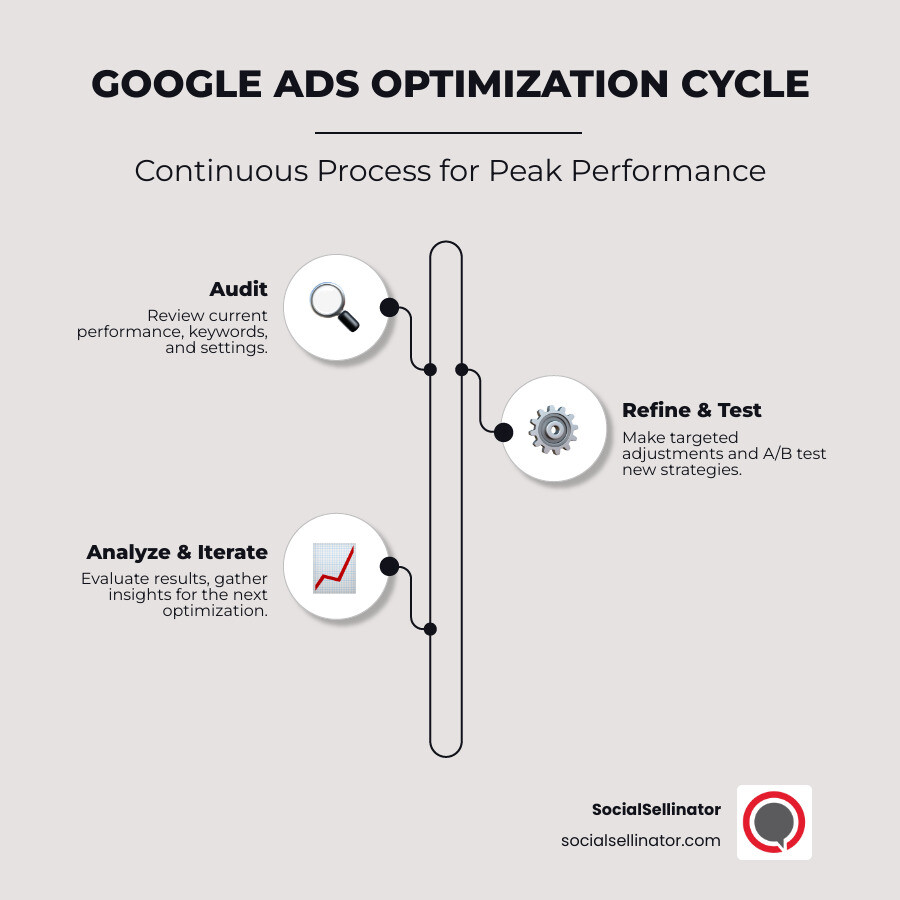
Are you looking to boost your online advertising results? Optimizing Google Ads is the ongoing process of refining your campaigns to achieve the highest possible performance. It’s about making your ad spend work smarter by refining your targeting, improving ad quality, boosting conversions, and maximizing your Return on Investment (ROI).
This continuous effort is crucial. Without it, campaigns can easily waste 25% or more of their budget on irrelevant clicks. However, with smart optimization, the rewards are significant. For example, advertisers who consistently improve their account’s optimization score often see a median 14% increase in conversions.
In a fast-changing digital world, staying agile is key. By constantly reviewing and adjusting your strategy, you ensure your campaigns remain aligned with evolving customer behaviors and your core business goals, turning your ad spend into a powerful growth engine.
The Foundation: Auditing Keywords, Bids, and Account Structure
Refining Your Keyword Strategy for Optimizing Google Ads
Keywords are the bridge between a customer’s search and your business offering. A successful strategy for optimizing Google Ads begins with understanding the story behind each search, or user intent.
While broad terms like “running shoes” attract high volume, they often represent users who are just browsing. In contrast, long-tail keywords like “best running shoes for flat feet under $150” signal a user who is ready to buy. These longer, more specific phrases typically have lower competition and higher conversion rates because they match a user’s exact needs. Shifting focus to these targeted phrases can significantly cut cost per conversion.
Equally important are negative keywords—the terms you don’t want to trigger your ads. If you sell premium watches, you should exclude terms like “free watch repair” or “cheap replica watches.” The Search Terms Report is your best tool for this, showing you the exact queries that led to clicks. Regularly reviewing this report to find and add negative keywords will dramatically improve your click quality and reduce wasted spend.
Finally, keyword match types give you control over how closely a search query must align with your keyword. Exact match (e.g., [blue running shoes]) offers precision, while phrase match (e.g., “blue running shoes”) provides a balance of reach and relevance. Mastering this balance is key to maintaining a strong Quality Score and ensuring your ads are relevant to what people are actually searching for.
Mastering Bidding Strategies and Budget Allocation
Once your keywords are set, you must decide how to spend your budget wisely. Your bidding strategy is a critical lever for campaign success.
You can choose between manual control and Google’s automated systems. Manual bidding gives you the power to set the maximum cost-per-click for each keyword, which is ideal when you have precise performance data and want to be aggressive on top performers.
Automated bidding strategies leverage Google’s machine learning to optimize for specific goals. Target CPA aims for conversions at a specific cost, Target ROAS focuses on achieving a certain return on ad spend (perfect for e-commerce), and Maximize Conversions works to get the most conversions possible within your budget.
Bid adjustments add another layer of control. If mobile users convert better than desktop users, you can increase your mobile bids. If customers in one state are more valuable, you can adjust bids by location. These small tweaks, especially device bidding, can transform campaign performance by allocating budget where it drives the best results.
Proper budget pacing ensures you don’t exhaust your funds early in the month or underspend due to conservative bids. Regular monitoring is essential for maintaining ad spend efficiency and making your money work as hard as possible.
Structuring Your Account for Granular Control
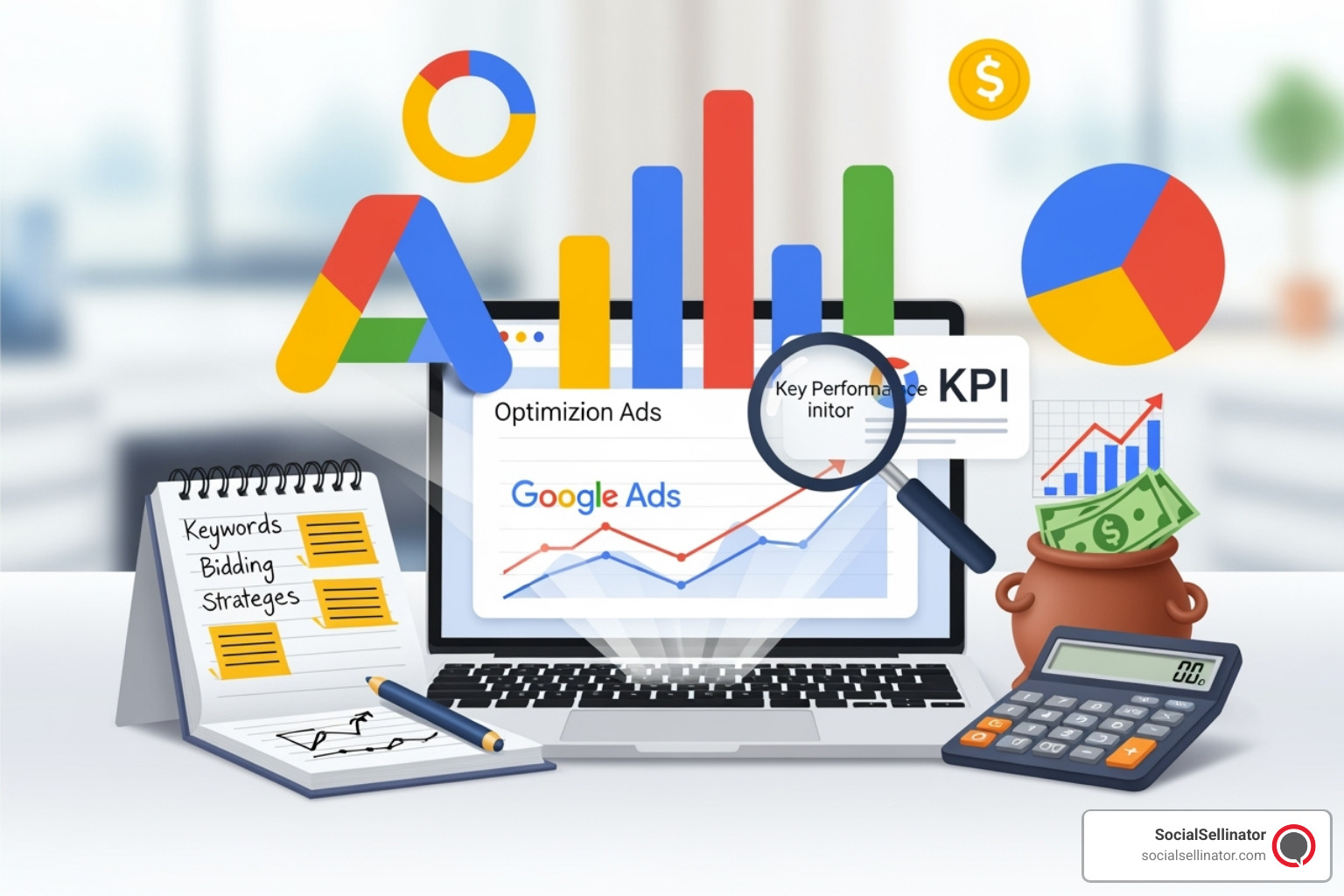
A disorganized Google Ads account leads to wasted time and poor performance. A logical campaign structure and tight ad group organization are the bedrock of any successful account.
The key is to create tightly themed ad groups where keywords, ad copy, and landing pages are all closely related. For example, instead of one large ad group for all shoes, create separate groups for “women’s running shoes” and “men’s hiking boots.” This allows you to write highly specific ad copy that speaks directly to the searcher’s intent.
This level of organization directly boosts your Quality Score, Google’s rating of your ad relevance. A higher Quality Score leads to better ad positions and lower costs per click. For ultimate control, some advertisers use Single Keyword Ad Groups (SKAGs), where each ad group contains just one keyword. This allows for perfectly matched ad copy and can lead to exceptional performance improvements.
Finally, be strategic about the Search Partners and Display Network. While these networks can expand your reach, they don’t always deliver quality traffic. It’s often best to test them in separate campaigns or segment their performance to ensure they are contributing positively to your goals. Prioritizing ad relevance over raw reach ensures you connect with fewer, more interested people, which is always more effective.
Crafting High-Impact Ads and Enhancing with Assets
Writing Compelling Ad Copy That Converts
Your ad copy is your first conversation with a potential customer. When optimizing Google Ads, each ad must act as a powerful mini-sales pitch that grabs attention and drives action.
Ad relevance is the cornerstone. If someone searches for “waterproof hiking boots,” your ad headline must reflect that specific need. This direct match between search intent and ad message is critical for a high Quality Score and a positive user experience. Your Expected CTR (Click-Through Rate), a component of Quality Score, is heavily influenced by how compelling your copy is.
To craft effective copy, consider the user’s mindset. A useful concept is the PPC Thermometer, which categorizes users by buying intent. Cold users are in the research phase and respond to softer calls-to-action (CTAs) like “Learn More.” Warm users are comparing options and might click on “See Reviews.” Hot users are ready to buy and want direct CTAs like “Buy Now” or “Get a Quote.” Matching your CTA to the user’s intent can dramatically improve conversion rates.
Great ad copy also taps into emotional triggers by focusing on benefits, not just features. Instead of “24/7 customer support,” try “Peace of mind with round-the-clock help.” This approach speaks to the user’s underlying needs and motivations.
A/B testing ads is essential. Continuously experiment with different headlines and descriptions to find what resonates most with your audience. A small change can lead to significant gains. Responsive Search Ads (RSAs) are a powerful tool for this, allowing you to provide multiple headlines and descriptions. Google’s machine learning then tests different combinations to find the optimal message for each search, automating the optimization process.
Leveraging Ad Assets to Boost CTR and Visibility
Ad assets (formerly extensions) are extra pieces of information that make your ad larger, more informative, and more clickable. They improve your ad’s visibility on the search results page and provide users with more reasons to choose you.
- Sitelink Assets: Act as shortcuts, directing users to specific pages on your site like “Best Sellers,” “Contact Us,” or “Sale Items.”
- Callout Assets: Highlight key benefits and features in short snippets, such as “Free Shipping,” “24/7 Support,” or “Money-Back Guarantee.”
- Structured Snippets: Showcase a range of your products or services. A marketing agency might list “Services: SEO, PPC, Content Creation.”
- Call Assets: Add a clickable phone number to your ad, which is invaluable for businesses that rely on phone calls, especially on mobile devices.
- Location Assets: Display your address and a map link, which is crucial for brick-and-mortar businesses and “near me” searches.
- Price Assets: Show prices for specific products or services, helping to qualify clicks by setting clear expectations.
- Image Assets: Add visual appeal to your text ads, helping you stand out and showcase your products or services effectively.
Using a combination of relevant assets makes your ad dominate more screen real estate, which can significantly improve your CTR and overall campaign performance.
Optimizing Landing Pages for a Seamless User Journey
Even the best ad will fail if it leads to a poor landing page. The user’s journey from click to conversion must be seamless and intuitive.
Landing page relevance is paramount. If your ad promises “50% off running shoes,” the landing page must prominently feature that offer. Any disconnect between the ad and the page will lead to high bounce rates and wasted ad spend. The messaging, tone, and visuals should also be consistent.
Page load speed is a critical factor. More than half of mobile users will abandon a page that takes longer than three seconds to load. Use tools like Google’s PageSpeed Insights to ensure your pages are fast and responsive. Speaking of which, a mobile-friendly design is no longer optional; it’s a requirement, as most searches now happen on mobile devices.
Every landing page needs a clear CTA. Users should know exactly what you want them to do next, whether it’s “Buy Now,” “Download Guide,” or “Request a Demo.” The CTA should be prominent and compelling.
Finally, build confidence with trust signals. Customer testimonials, security badges (for e-commerce), industry awards, and clear contact information all help establish credibility and reduce friction, making users more comfortable with converting.
Advanced Targeting and Audience Segmentation
Reaching High-Intent Users with Audience Targeting
True optimization goes beyond keywords to focus on the who. Instead of broadcasting your message widely, audience targeting allows you to have focused conversations with people already interested in what you offer.
Remarketing Lists for Search Ads (RLSAs) are a powerful tool for this. They allow you to re-engage people who have previously visited your website. When a past visitor searches for your keywords again, you can show them a custom ad or bid more aggressively to win their click. These are warm leads who already have brand familiarity, making them much more likely to convert.
To use RLSAs, your audience list needs at least 1,000 users. As privacy regulations evolve, building these first-party data lists from your website traffic, email subscribers, and customer databases is more critical than ever for long-term success.
In-Market segments are another valuable targeting layer. Google identifies users who are actively researching and showing strong purchase intent for products or services in specific categories. By analyzing these segments in Google Analytics, you can find audiences with high conversion rates and apply bid adjustments in Google Ads to reach them more effectively.
Customer Match allows you to upload your own customer lists (like email addresses) to Google. You can then target these users with special offers, exclude them from new customer acquisition campaigns, or create similar (lookalike) audiences to find new prospects who share characteristics with your best customers.
Using these audience signals helps train Google’s machine learning algorithms, teaching them who your ideal customer is. This ensures your ads are shown to people most likely to convert, maximizing the efficiency of your ad spend.
Fine-Tuning with Geolocation, Demographics, and Dayparting
Reaching the right person is only half the battle; you also need to reach them at the right place and time. Granular targeting adjustments can significantly improve performance.
Geolocation targeting allows you to focus your budget on specific countries, states, cities, or even a radius around a location. The real power comes from location bid adjustments. For example, an outdoor equipment retailer could increase bids in regions with high rates of outdoor activity and reduce them in others, optimizing their ad spend based on geographic demand. This simple strategy can lead to a dramatic improvement in return on ad spend.
Dayparting, or ad scheduling, lets you control when your ads are shown. By analyzing your conversion data, you can identify the days of the week or hours of the day when your audience is most active. A B2B company might find conversions peak during business hours, while a restaurant might see the best results around lunchtime. You can increase bids during these peak times and decrease them during lulls to prevent wasted spend.
Demographics targeting provides further precision. You can adjust bids based on age, gender, and even household income targeting. A luxury brand might find that users in the top income tiers convert at a much higher rate. With this insight, they can apply demographic bid adjustments to focus their budget on the most profitable segments.
The key is to let data guide your decisions rather than relying on assumptions. This granular control over who, where, and when you target transforms good campaigns into great ones by ensuring every dollar is spent with maximum strategic impact.
The Continuous Process of Optimizing Google Ads
Establishing a Routine: Daily, Weekly, and Monthly Optimization Tasks
Effective optimizing Google Ads is not a one-time setup; it’s a continuous process of refinement. The most successful advertisers follow a structured routine to ensure nothing falls through the cracks.
Daily Tasks (5-10 minutes): These are quick health checks. Monitor budget pacing to ensure you’re on track. Check for any ad disapprovals that need to be fixed. Scan for major performance alerts or sudden changes in key metrics.
Weekly Tasks (30-60 minutes): This is where most optimization occurs. Dive into the Search Terms Report to find new negative keywords to exclude and potential new keywords to target. Review keyword performance and pause any underperformers that are wasting budget. Analyze and adjust your bid adjustments for devices, locations, and audiences based on the past week’s data.
Monthly & Quarterly Tasks (1-3 hours): This is for strategic review. Analyze the results of your ad tests and roll out the winning copy across your account. Take a high-level look at your geolocation strategy and overall conversion trends. On a quarterly basis, conduct a full account audit, review your overarching campaign strategy, and perform competitor analysis to stay ahead.
Using Google’s Tools for Optimizing Google Ads: Score and Recommendations
Google provides built-in tools to guide your efforts, most notably the Optimization Score and Recommendations tab.
Your Optimization Score is a grade from 0-100% that estimates how well your account is set to perform. While a perfect score isn’t the ultimate goal, it’s a useful indicator of your account’s health. The score is based on your settings, performance history, and adherence to Google’s best practices.
The real value lies in the Recommendations Google provides. These are personalized suggestions, such as adding new keywords, adjusting bids, or creating new ads. The impact can be significant; advertisers who increased their Optimization Score by 10 points saw a median 14% increase in conversions.
However, a word of caution is needed. Never blindly accept all recommendations. Google’s suggestions are automated and may not always align with your specific business goals. For example, a recommendation to add broad match keywords could flood your campaign with irrelevant traffic. Use these tools as a guide, but apply human judgment and strategic thinking to every decision. The Performance Planner and Insights Page offer additional data to inform your strategy, but you should always maintain control.
Focusing on What Matters: Tracking Conversions, Not Vanity Metrics
It’s easy to get distracted by impressive-looking numbers that don’t actually contribute to your bottom line. These are vanity metrics.
High clicks and impressions might feel good, but if they don’t lead to sales or leads, you’re paying for digital window shoppers. The foundation of meaningful optimization is a rock-solid conversion tracking setup. Without accurate data on what’s working, you’re flying blind.
Instead of vanity metrics, focus on the Key Performance Indicators (KPIs) that truly measure success:
- Conversions: The number of valuable actions (sales, leads, sign-ups).
- Cost Per Acquisition (CPA): How much you pay for each conversion.
- Return On Ad Spend (ROAS): The revenue generated for every dollar spent on ads.
- Conversion Rate: The percentage of clicks that result in a conversion.
These metrics tell the real story of your campaign’s profitability. A campaign with a lower click-through rate but a higher conversion rate is far more valuable than one with many clicks but few conversions. At SocialSellinator, our PPC management services are built around driving these meaningful business results, ensuring your investment leads to profitable growth.
Conclusion: Achieving Sustainable Growth with Google Ads
Optimizing Google Ads is not a one-time task but a continuous cycle of improvement. It’s about creating a system that doesn’t just spend your budget but invests it wisely to generate measurable, sustainable growth for your business.
The core of this process is making data-driven decisions. By basing your strategic adjustments on real performance data—not hunches—you set your campaigns up for long-term success. The routine of daily checks, weekly refinements, and monthly strategic reviews ensures your campaigns adapt to shifting customer behaviors and market dynamics. These consistent, small optimizations compound over time, turning incremental gains into significant business growth.
Effective PPC management requires a blend of technical expertise and strategic vision. It’s about understanding the mechanics of Google’s auction and the psychology of your customers. At SocialSellinator, our team specializes in this balance, changing campaigns into reliable profit centers by focusing on the entire customer journey, from the initial search to the final conversion.
Success isn’t just about getting more clicks; it’s about building a system that consistently delivers qualified leads and customers. By focusing on the metrics that matter—conversions, cost per acquisition, and return on ad spend—you invest in the long-term health and profitability of your business.
Headquartered in San Jose, in the heart of Silicon Valley and the San Francisco Bay Area, SocialSellinator proudly provides top-tier digital marketing, SEO, PPC, social media management, and content creation services to B2B and B2C SMB companies. While serving businesses across the U.S., SocialSellinator specializes in supporting clients in key cities, including Austin, Boston, Charlotte, Chicago, Dallas, Denver, Kansas City, Los Angeles, New York, Portland, San Diego, San Francisco, and Washington, D.C.