
Your Page, Your Power: Mastering Facebook Business Page Management
Why Your Business Needs a Professional Facebook Presence
Alt text: A polished Facebook Business Page displayed on a laptop and smartphone, representing a professional brand presence and management tools. Image metadata: Title: Professional Facebook Presence Header; Subject: Facebook Business Page management; Placement: Header image; Format: JPEG; Orientation: Landscape; Color profile: sRGB; Creator/Credit: SocialSellinator creative team; Source: Licensed stock/graphical composition; Usage rights: Cleared for use by SocialSellinator in this article; Description: Visual collage conveying brand credibility, analytics, and messaging features for business pages.
To successfully manage facebook business page operations, you must understand the fundamentals of creating, optimizing, and maintaining a professional presence that drives real business results. Your Facebook Business Page is more than just a social media account; it’s a dynamic, multi-faceted digital asset. Think of it as your digital storefront, where you showcase products and services; a customer service hub, where you answer questions and build loyalty; and a powerful marketing channel, where you reach new audiences and drive sales. Each of these functions is critical for modern business growth.
With over 2 billion daily active users, Facebook remains one of the most dominant platforms for reaching customers where they already spend their time. This staggering number isn’t just a vanity metric; it represents a diverse, global audience that your business can connect with. For a local restaurant, it means reaching community members looking for dinner plans. For a national e-commerce brand, it means targeting niche interests across the country. Unlike a personal profile, a Business Page offers public visibility, professional features, and advanced analytics that are essential for understanding and growing your audience. The difference between a neglected page with outdated information and a well-managed one with active engagement can be the difference between being invisible and being influential in your market. A neglected page signals to potential customers that the business may be unresponsive or unprofessional, eroding trust before a single interaction occurs.
A professional page builds trust, drives traffic to your website, and creates a direct line of communication with your customers. This two-way dialogue is invaluable, providing real-time feedback, testimonials, and insights into what your customers truly want. Whether you’re launching your first page or optimizing an existing one, the key lies in using Facebook’s tools strategically. From the centralized Meta Business Suite dashboard to targeted advertising options, Facebook provides everything you need to build meaningful connections and achieve your business goals. Mastering these tools is the first step in transforming your page from a passive placeholder into an active engine for growth.
The Foundation: From Personal Profile to Professional Page
Think of your personal Facebook profile as your private home—it’s for connecting with friends and family within a closed circle. When you’re ready to manage facebook business page operations, however, you need a professional storefront that is open to the world, inviting and accessible to every potential customer. A Facebook Business Page is your company’s public face on the platform, designed for unlimited public engagement and built for commercial success. This distinction is the bedrock of a professional social media strategy.
This public visibility is what makes business pages so powerful. Anyone on Facebook can find your page, follow your updates, and interact with your brand without needing your approval. When potential customers search for businesses like yours on Google or within Facebook itself, your page can appear in their results, acting as a vital discovery tool. This open, findable nature transforms a simple social media presence into a genuine marketing asset that contributes to your overall search engine optimization (SEO) and online discoverability. It’s an official, sanctioned space for your brand to exist and communicate.
Facebook requires a personal profile to create and manage a business page, but the two operate independently. This separation is crucial for professional credibility and operational security. It keeps your private life—your photos, personal updates, and friend list—completely separate, while giving your business the polished, branded presence it deserves. You can easily switch between your personal feed and your business dashboard without the risk of accidentally posting a personal photo to your company’s timeline. This clear boundary is essential for maintaining a professional image.
Business pages also open up a suite of tools that personal profiles lack, making them indispensable for any serious business. The key differences are purpose and features. A personal profile is for social connections, with a friend limit of 5,000 and no meaningful analytics or advertising tools. In contrast, a Business Page is for representing a brand and has no limit on the number of followers it can attract. It comes equipped with a powerful arsenal of professional features: detailed Page Insights provide deep analytics on audience behavior; sophisticated advertising capabilities allow for hyper-targeted campaigns; customizable call-to-action buttons drive specific user behaviors like visiting a website or making a purchase; and the ability for multiple team members to manage the page with different permission levels ensures secure and scalable operations. These features are the building blocks of a strategic social media marketing plan, turning casual interactions into measurable business development.
Building Your Digital Storefront: Creating and Customizing Your Page
Creating your Facebook Business Page is like opening the doors to your digital storefront. The goal is to make a strong first impression, ensuring visitors immediately understand who you are, what you offer, and how to connect. The setup process is streamlined and begins from your personal Facebook account, which acts as the key but remains separate and private from your public-facing business page.
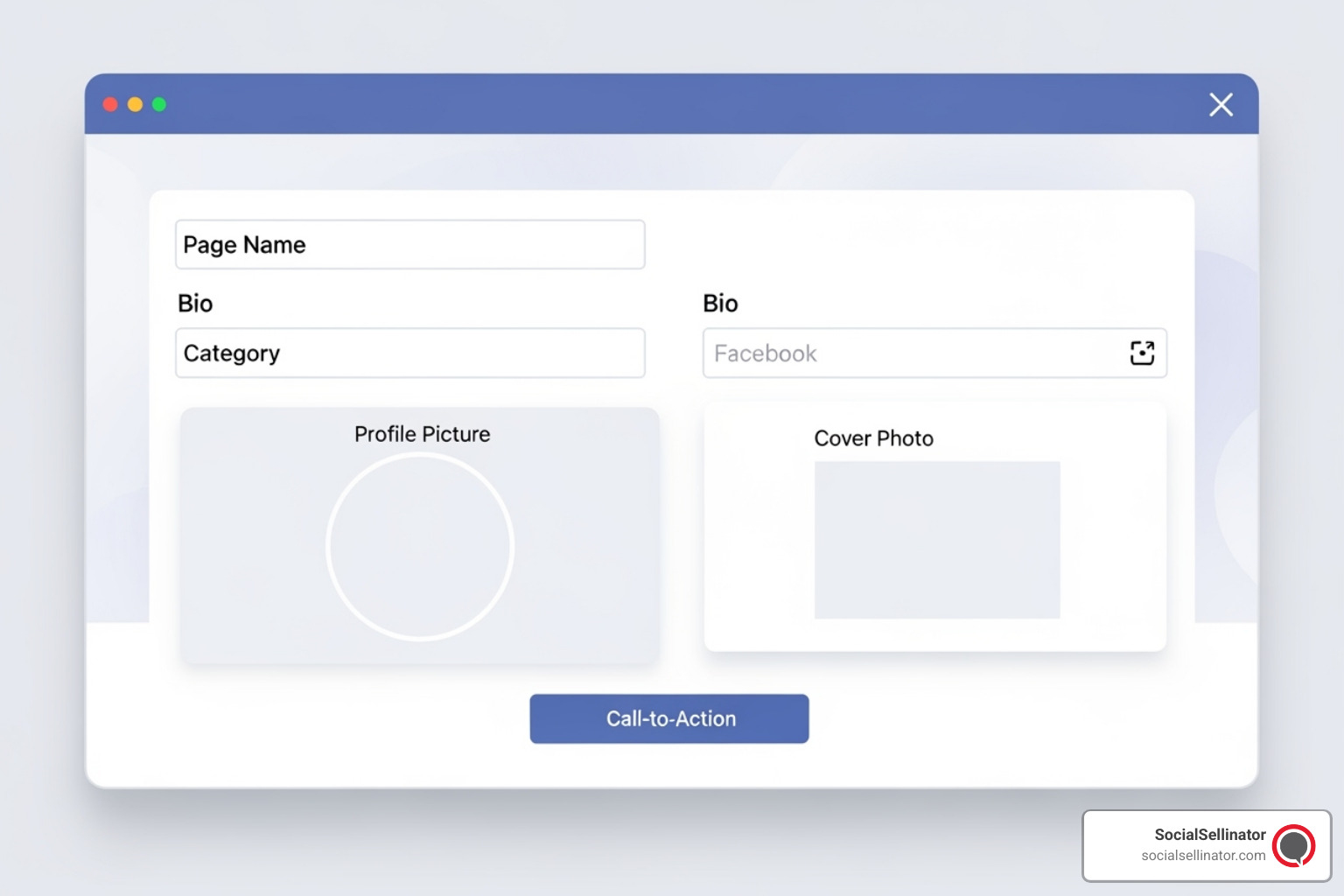
Alt text: A clean Facebook Page creation screen highlighting fields for Page Name, Category, Bio, profile and cover images, and a primary CTA setup. Image metadata: Title: Facebook Page Setup Interface; Subject: Page creation and customization; Placement: In-line image (section: setup); Format: JPEG; Orientation: Landscape; Color profile: sRGB; Creator/Credit: SocialSellinator creative team; Source: Licensed stock/UI mockup; Usage rights: Cleared for use by SocialSellinator in this article; Description: Visual guide to the essential inputs required to create and brand a Facebook Business Page.
Start by navigating to the “Pages” section from the main menu and clicking “Create New Page.” Here are the essential elements to customize for a professional and effective presence:
Page Name and Category: Your Page Name should be your exact business name for easy recognition and brand consistency. For the category, choose up to three specific options that best describe your business (e.g., “Marketing Agency” or “Landscape Company” instead of just “Business”). This is a critical step, as the category helps Facebook’s algorithm understand your business and show your page to a more relevant audience.
Bio and Contact Info: Your bio is your elevator pitch. In a few short sentences, clearly explain the value you provide to customers. A great formula is: “We help [target audience] achieve [their goal] by providing [your unique product/service].” Be sure to fill out every single contact field: website, phone number, email, and physical address if applicable. A complete profile not only helps customers connect but also signals to Facebook that your page is legitimate and trustworthy, which can boost its visibility.
Visual Branding: Your profile picture, typically your logo, appears with every post and comment. It must be a high-resolution square image that is clear and recognizable even at a small size. The cover photo is a larger canvas to showcase your brand’s personality. Use it to feature your products, your team, a current promotion, or an image that evokes the feeling of your brand. Crucially, test its appearance on both desktop and mobile, as it crops differently on each.
Action Button: This customizable call-to-action (CTA) is one of the most powerful tools on your page. Align it with your primary business goal. Options include “Shop Now” for e-commerce, “Book Now” for service-based businesses, “Contact Us” for lead generation, or “Learn More” to drive website traffic. This button sits prominently at the top of your page and should direct users to your most desired action.
Page Username: Create a custom URL (e.g., facebook.com/YourBusinessName). This is also known as a vanity URL. It looks far more professional than a randomly generated string of numbers and makes your page easier to find, share, and remember.
Customize Your Tabs: Beyond the default setup, you can reorder or add tabs to your page. Facebook offers different page templates (e.g., Services, Shopping, Venues) that automatically arrange tabs in a way that makes sense for your business type. You can further customize this by adding tabs for Reviews, Events, or even integrating third-party apps. This tailoring ensures visitors can easily find the information most relevant to them.
Once the basics are in place, invite your existing friends and contacts to like the page to build initial momentum and social proof. A complete, professionally branded, and fully customized page is the first step toward a successful Facebook marketing strategy.
The Command Center: How to Effectively Manage Your Facebook Business Page
With your page created, the real work begins. To effectively manage facebook business page operations, you need to master the tools Facebook provides for daily management, content creation, and community engagement. The central hub for this is Meta Business Suite, a powerful and free platform designed to streamline your workflow.
Meta Business Suite simplifies your social media management by allowing you to control your Facebook and Instagram presence from a single, unified dashboard. This integration is a massive time-saver. You can view all notifications, messages, and comments in one inbox, schedule posts and Stories for both platforms in advance, and analyze performance without constantly switching between apps. The content calendar and planner tools are particularly useful, allowing you to visualize your content schedule for the weeks ahead and ensure a consistent brand presence even during your busiest periods. The suite’s insights also help you understand what content resonates most with your audience, enabling data-driven adjustments to your strategy.
When it comes to content, video reigns supreme. Data consistently shows that consumers overwhelmingly prefer video over other formats, making it a cornerstone of any successful strategy. Use a mix of highly produced, informative videos and authentic, in-the-moment Facebook Live sessions to connect with your audience on a deeper level. To maximize visibility for important announcements, promotions, or your best-performing content, use the “Pin Post” feature to keep a specific post at the top of your page’s feed. For optimal engagement, dive into your Page Insights to identify the exact days and times your audience is most active online, then schedule your posts for those peak windows. A consistent posting frequency of 3-7 times per week is a great target for most businesses to stay top-of-mind.
Fueling Engagement: Content Creation and Community Management
Great content is only half the battle; fostering a genuine, interactive community is the other. This requires a proactive approach to both content planning and audience interaction. Develop a content calendar to ensure a steady flow of valuable, entertaining, or informative posts. A balanced content mix is key. Consider a strategy like the 4-1-1 rule: for every one self-promotional post, share one relevant article from another source and four pieces of original, non-promotional content. Mix up your formats with high-quality images, engaging videos, interactive polls, user-generated content (UGC) contests, and questions to keep your feed dynamic and interesting.
Don’t just talk at your audience; talk with them. Ask questions in your posts to encourage discussion, and most importantly, respond to comments—both positive and negative—in a timely and professional manner. This simple act shows you’re listening and value their input, building powerful brand loyalty. Facebook Messenger is another powerful tool for one-on-one customer service. Aim for prompt responses, as Facebook prominently displays your typical response time to users. You can also set up automated replies and FAQs to provide immediate assistance for common questions, improving the customer experience.
Amplifying Your Reach: An Introduction to Facebook Ads
Organic reach on Facebook has declined over the years, which is why advertising is a crucial component of growth. Facebook Ads are paid messages that allow you to promote your business to highly specific audiences across Facebook, Instagram, Messenger, and the Audience Network.
While “boosting” a post is a simple way to increase its reach, the full power of Facebook advertising is unlocked in the Ads Manager. This professional platform offers far more control and sophistication. Key advantages include:
- Advanced Targeting: Go beyond basic demographics. Reach users based on their interests (e.g., pages they’ve liked), online behaviors (e.g., recent purchases), or location. You can also create powerful Custom Audiences by uploading your customer list or using the Facebook Pixel—a snippet of code on your website—to retarget visitors. From there, you can create Lookalike Audiences to find new users who are similar to your best existing customers.
- Specific Objectives: Choose exactly what you want your ad to achieve. Campaign objectives are aligned with the business funnel, from building brand awareness and generating leads to driving website traffic and securing direct sales or app installs.
- Diverse Ad Formats: Move beyond a simple image. Use video ads, carousels that showcase multiple products in a single ad, collection ads for a mobile shopping experience, and lead ads that let users submit their information without ever leaving Facebook.
Using Ads Manager, you can run strategic, multi-stage campaigns to guide users from awareness to conversion. This strategic approach to paid promotion is essential for scaling your business on the platform.
Advanced Control: Unlocking the Power of Meta Business Manager
While Meta Business Suite is perfect for day-to-day activities, Meta Business Manager is the enterprise-level tool for businesses looking to scale, improve security, and collaborate with teams or agencies. Think of it as the master control center or secure vault that allows you to professionally manage facebook business page operations, ad accounts, pixels, and other assets from one centralized, secure location.
Business Manager is a game-changer for growing businesses for several key reasons. First and foremost are the security and transparency benefits. It completely separates your personal profile from your business assets. This means you and your team manage the business assets through Business Manager, eliminating the risk of accidental personal posts on the business page. It also provides a clear, auditable overview of who has access to what, so you can easily manage permissions for employees, partners, and agencies without ever sharing personal login credentials. If an employee leaves, you can remove their access in seconds, securing your assets instantly.
For businesses with multiple brands, locations, or product lines, Business Manager is essential for organization. You can oversee numerous pages and ad accounts without juggling different logins or being personally connected to each asset. This is also the standard, professional method for working with marketing agencies. An agency will request access to your Page and Ad Account through their own Business Manager. You then grant them partner access, meaning you never have to hand over your personal password and you always retain ultimate ownership and control of your assets.
It is critical to never create fake or duplicate personal accounts to manage business pages. This is a direct violation of Facebook’s terms of service and puts your page and all associated assets at high risk of being permanently disabled and deleted without warning. Facebook’s systems are designed to detect and shut down such accounts. Business Manager is the correct, secure, and professional solution for managing assets on behalf of a business.
How to Manage Facebook Business Page Roles and Permissions
Assigning team permissions correctly is vital for both security and workflow efficiency. Business Manager allows you to grant access with surgical precision. You add team members using their work email addresses and assign them a role. Admin Access provides full control over the Business Manager, including adding or removing people, changing settings, and managing all assets. This role should be reserved for business owners or trusted senior managers. Employee Access is more limited, allowing team members to work only on the specific pages and ad accounts assigned to them, without being able to change core business settings.
Beyond this initial role, you can grant asset-specific permissions. For example, you can give a social media manager access to manage a specific Facebook Page but not your ad account or pixel. Within a Page, roles get even more granular, allowing you to match permissions to job responsibilities:
- Admin/Editor: Can publish content, send messages, run ads, and view all insights. This is for your primary content managers.
- Moderator: Focuses on community management. They can respond to comments and messages and remove spam, but cannot create original posts.
- Advertiser: Can create and manage ads and view insights, but cannot publish organic content to the page.
- Analyst: A read-only role. They can view page performance and audience insights but cannot make any changes, post, or comment.
By using this layered system, you create a secure and efficient operation where team members have exactly the access they need, and no more.
Consolidating Your Assets: Adding Pages and Ad Accounts
Bringing all your digital assets under the Business Manager umbrella is key to streamlined control and advanced strategy. Within the Business Settings, you can easily add pages you already own, request access to manage client or partner pages, or create new pages directly within the platform. The distinction is important: ‘Add a Page’ means you are claiming ownership, ‘Request Access’ means another business is letting you work on their page, and ‘Create a New Page’ is for starting from scratch. This consolidation is crucial for agencies or businesses managing multiple brands.
Similarly, you can add your existing ad accounts, request access to client accounts, or create new, separate ad accounts. Creating multiple ad accounts is a best practice for organizing campaigns by region, brand, or payment method, which helps with financial tracking and strategic organization. Once your assets are consolidated, you can implement more sophisticated cross-platform strategies, such as sharing audiences created by your Facebook Pixel between different ad accounts, and get a holistic view of your performance across all assets, which is essential for optimizing your digital marketing spend.
Growth and Governance: Scaling and Securing Your Page
As your page grows from a simple presence to a core business function, your focus will shift toward data-driven decisions and robust security to protect your digital assets. To effectively manage facebook business page success long-term, you must master analytics for continuous improvement and governance for risk mitigation.
Facebook Page Insights is your business intelligence dashboard, and learning to interpret its data is non-negotiable for growth. It tells the story behind your numbers, helping you refine your strategy. Go beyond surface-level likes and look at these key data points:
- Audience Demographics: Understand the age, gender, city, and country of your followers. Actionable insight: If your data shows your audience is primarily 25-34 year old women in urban areas, your content, imagery, and ad targeting should be tailored to reflect their specific interests and pain points, rather than trying to appeal to everyone.
- Post Performance: See which posts get the most reach (how many people saw it) and engagement (likes, comments, shares). Actionable insight: Identify your top 3-5 performing posts each month. Analyze them for common themes, formats (e.g., video, carousel), or topics. Use this analysis to create more of what works and less of what doesn’t.
- Best Times to Post: The platform shows you a detailed chart of exactly when your followers were most active online for each day of the week. Actionable insight: Use this data to schedule your most important content for these peak times to maximize organic reach and initial engagement, taking the guesswork out of your posting schedule.
- Video Metrics: For video content, you can analyze not just views but also crucial metrics like average watch time and audience retention. Actionable insight: Look at the retention graph to see where viewers drop off. If most people leave after 3 seconds, your video intros need to be more compelling. If they watch 75% of a tutorial video, you know that format is highly valuable to them.
Security is not glamorous, but it is absolutely critical. A single compromised account can destroy your brand’s reputation, lead to significant financial loss from ad fraud, and erase months or years of hard work. Start with the business verification process within Meta Business Manager. Submitting official documents (like a business license or articles of incorporation) to Facebook proves you are a legitimate entity. This can improve credibility, help you regain access if you’re ever locked out, and unlock certain advanced features.
Two-factor authentication (2FA) should be mandatory for every single person with access to your page or Business Manager. This simple security layer requires both a password and a time-sensitive code from an authenticator app or phone, making it significantly harder for unauthorized users to gain access even if they steal a password. Finally, practice good security housekeeping. At least quarterly, audit who has access to your page and Business Manager. Immediately remove anyone who is no longer on your team or with a partner agency. Admin roles should be strictly limited to a minimum of two essential personnel to prevent a single point of failure.
Occasionally, a business may need to pause or end its Facebook presence. It’s important to know your options. Deactivating your page makes it invisible to the public but saves all your content, insights, and followers. This is a great option for seasonal businesses, those undergoing a major rebrand, or if you need a temporary pause. You can reactivate it at any time. Deleting your page is permanent and irreversible. After you request deletion, there is a grace period (typically 30 days) during which you can cancel, but after that, all your content, insights, and follower relationships are gone forever. This should only be considered if a business is closing for good.
Conclusion: Turn Your Facebook Page into a Growth Engine
We’ve covered the essential steps to successfully manage facebook business page operations, moving from the foundational setup and content strategy to advanced tactics for growth, security, and team management. By now, you should have a clear and comprehensive roadmap for transforming your Facebook presence from a simple social account into a powerful, measurable business asset that actively contributes to your bottom line.
The key to sustained success is a commitment to consistency and strategy. Regularly posting engaging content, with a strong emphasis on video, and actively participating in conversations with your community will build lasting relationships and keep your audience connected. While organic reach is a valuable part of the equation, strategically leveraging Facebook’s sophisticated advertising platform is crucial for scaling your growth, reaching new and highly targeted customer segments, and driving predictable results.
For businesses ready to expand their operations, Meta Business Manager provides the essential security and organizational structure needed to manage multiple assets and team members effectively and professionally. All of these efforts should be continuously guided by the rich data found in Page Insights, which allows you to stop guessing, make informed decisions, and refine your strategy to maximize your return on investment.
The digital landscape is in a constant state of evolution, so an agile, informed, and adaptable approach is essential for long-term success. Managing a Facebook Business Page effectively requires significant time, deep expertise, and constant attention to detail. If you want to focus on running your business while a team of dedicated experts handles the complexities of your digital presence, professional support can make all the difference.
Headquartered in San Jose, in the heart of Silicon Valley and the San Francisco Bay Area, SocialSellinator proudly provides top-tier digital marketing, SEO, PPC, social media management, and content creation services to B2B and B2C SMB companies. While serving businesses across the U.S., SocialSellinator specializes in supporting clients in key cities, including Austin, Boston, Charlotte, Chicago, Dallas, Denver, Kansas City, Los Angeles, New York, Portland, San Diego, San Francisco, and Washington, D.C.