
A Quick Start Guide to LinkedIn Lead Generation Campaigns
Why LinkedIn Is the Go-To Platform for B2B Lead Generation Campaigns
LinkedIn lead generation campaigns are structured paid or outreach programs that capture prospect information directly on LinkedIn — using native forms, targeted ads, or sequenced messaging — to build a pipeline of qualified B2B leads.
Here’s a quick overview of how they work:
| Step | What Happens |
|---|---|
| 1. Set your objective | Choose “Lead Generation” in Campaign Manager |
| 2. Define your audience | Target by job title, seniority, industry, company size |
| 3. Choose an ad format | Single image, video, carousel, document, or message ad |
| 4. Attach a Lead Gen Form | Pre-filled with LinkedIn profile data — no landing page needed |
| 5. Launch and measure | Track cost per lead, form fill rate, and conversions in real time |
| 6. Sync leads to your CRM | Route captured leads directly to your sales or nurture workflow |
For B2B marketers, the numbers are hard to ignore. Nearly 9 in 10 B2B marketers use LinkedIn for lead generation, and more than half say it outperforms every other social channel — by more than double. The average LinkedIn Lead Gen Form converts at 13%, compared to just over 4% for a typical landing page, making conversion rate optimization a key focus for digital marketers.
That gap exists for one simple reason: LinkedIn removes friction. When a prospect clicks your ad, a form opens with their name, job title, company, and contact details already filled in from their profile. They submit with two clicks and never leave the platform.
This guide walks you through everything you need to run a campaign that actually produces qualified leads — from choosing the right ad format to syncing your results with a CRM.
Simple guide to linkedin lead generation campaigns terms:
Why B2B Marketers Rely on LinkedIn Lead Generation Campaigns
The modern business-to-business purchasing process is not a straight line. It is a highly collaborative, multi-layered journey that involves multiple departments, budgets, and opinions. In fact, industry research reveals that the typical B2B buyer journey now involves anywhere from 3.1 to 4.6 different stakeholder groups. These decision-makers—spanning finance, IT, operations, and executive leadership—must reach a consensus before a single contract is signed. Along the way, buyers are incredibly thorough, consuming an average of 7 to 10 pieces of content before they are ready to engage with a sales representative.
To capture the attention of these diverse buying committees, you need more than generic digital advertising. You need a platform where professionals operate with business intent. This is precisely why B2B marketers rely so heavily on LinkedIn.
Unlike casual social platforms where users seek entertainment, professionals log onto LinkedIn to network, discover industry trends, and find solutions to their operational challenges. The platform houses an incredibly high-concentration audience of decision-makers: four out of five LinkedIn members drive business decisions within their organizations. When you launch campaigns here, you are not shouting into the void; you are placing your brand directly in front of the people who hold the purchasing power.
To understand how to leverage this professional network organically and through paid channels, it helps to read our comprehensive guide on How to Generate B2B Leads on LinkedIn.
Additionally, the performance metrics associated with LinkedIn’s ad network consistently outclass other paid channels. Independent marketing platform analyses show that LinkedIn’s lead conversion rates are three times higher than other major social ad networks. Even when factoring in a higher cost-per-click (CPC) typical of premium business audiences, the platform delivers exceptional efficiency. LinkedIn ads boast a 136% higher conversion rate than traditional search engine ads, making the investment highly cost-effective when measuring bottom-line pipeline impact. By focusing your efforts on this network, you ensure your marketing resources are spent on high-intent professionals rather than low-quality clicks.
To explore the foundational elements of using this platform for your business, check out our guide on LinkedIn for Lead Generation.
High-Converting Ad Formats for LinkedIn Lead Generation Campaigns
To capture high-quality leads, you must choose the right ad format for your specific offer. LinkedIn Campaign Manager offers several versatile formats that seamlessly support native Lead Gen Forms, allowing you to match your creative style to your audience’s preferences.
- Sponsored Content (Single Image, Carousel, and Video Ads): These ads appear directly in the member’s LinkedIn feed, blending naturally with organic professional updates. They are highly effective for top-of-funnel awareness and middle-of-funnel consideration. By adding a clear call-to-action (CTA) button like “Download” or “Sign Up,” you can prompt feed-scrolling decision-makers to open a pre-filled form instantly.
- Document Ads: This format is a powerhouse for content-led lead generation. Document Ads allow you to share whitepapers, case studies, slide decks, or reports directly within the LinkedIn feed. Users can read a preview of the document before being prompted to fill out a Lead Gen Form to read or download the full asset. Combining Document Ads with native lead forms has been shown to drive two times higher form completion rates than other standard feed formats.
- Message Ads and Conversation Ads: These formats deliver personalized messages directly to your target audience’s LinkedIn Inbox. Message Ads present a direct, singular offer, while Conversation Ads allow you to build a choose-your-own-adventure style decision tree with up to five CTA buttons. When integrated with Lead Gen Forms, Message Ads increase mobile conversion rates by an average of three times compared to traditional external landing pages.
- Dynamic Ads: These highly personalized sidebar ads automatically adapt their creative to include the profile picture, name, and job title of the viewing member. The lead generation format of Dynamic Ads allows members to instantly download content or submit their contact details without typing a single character.
To master the technical steps of building these assets, take a look at our walkthrough on How to Create Lead Generation Form in LinkedIn.
Advanced Targeting for LinkedIn Lead Generation Campaigns
The true secret weapon of any high-performing LinkedIn campaign is the platform’s unmatched demographic data. Because members keep their profiles updated for career opportunities, you gain access to real-time, self-reported professional data that no other platform can replicate.
Instead of guessing interests based on web browsing habits, you can target your exact ideal customer profile (ICP) using precise professional layers:
- Job Title and Job Function: Target specific roles within the buying committee (e.g., “Director of Information Security” or “VP of Finance”).
- Seniority: Filter out entry-level employees and target decision-makers such as managers, directors, VPs, and C-suite executives.
- Company Size and Industry: Narrow down your focus to mid-market technology companies (e.g., 50–1,000 employees) or enterprise manufacturing firms.
- Matched Audiences: This feature allows you to upload lists of target accounts or contact emails, enabling robust Account-Based Marketing (ABM) strategies. You can also build lookalike audiences based on your existing customers or retarget website visitors who have already shown interest in your brand.
By combining these targeting layers, you ensure your ad spend is hyper-focused on the exact individuals who can approve a purchase. For a deeper dive into structuring these targeting parameters, check out our resource on LinkedIn Lead Generation Strategies for B2B Success.
Step-by-Step Setup for Your First Campaign
Setting up a successful lead generation campaign requires a methodical approach within LinkedIn Campaign Manager. Before you begin building your campaign, ensure you have the necessary prerequisites in place: an active Campaign Manager account, an optimized LinkedIn Company Page, a compelling offer (such as a guide, webinar, or free trial), and a clear understanding of your target audience.
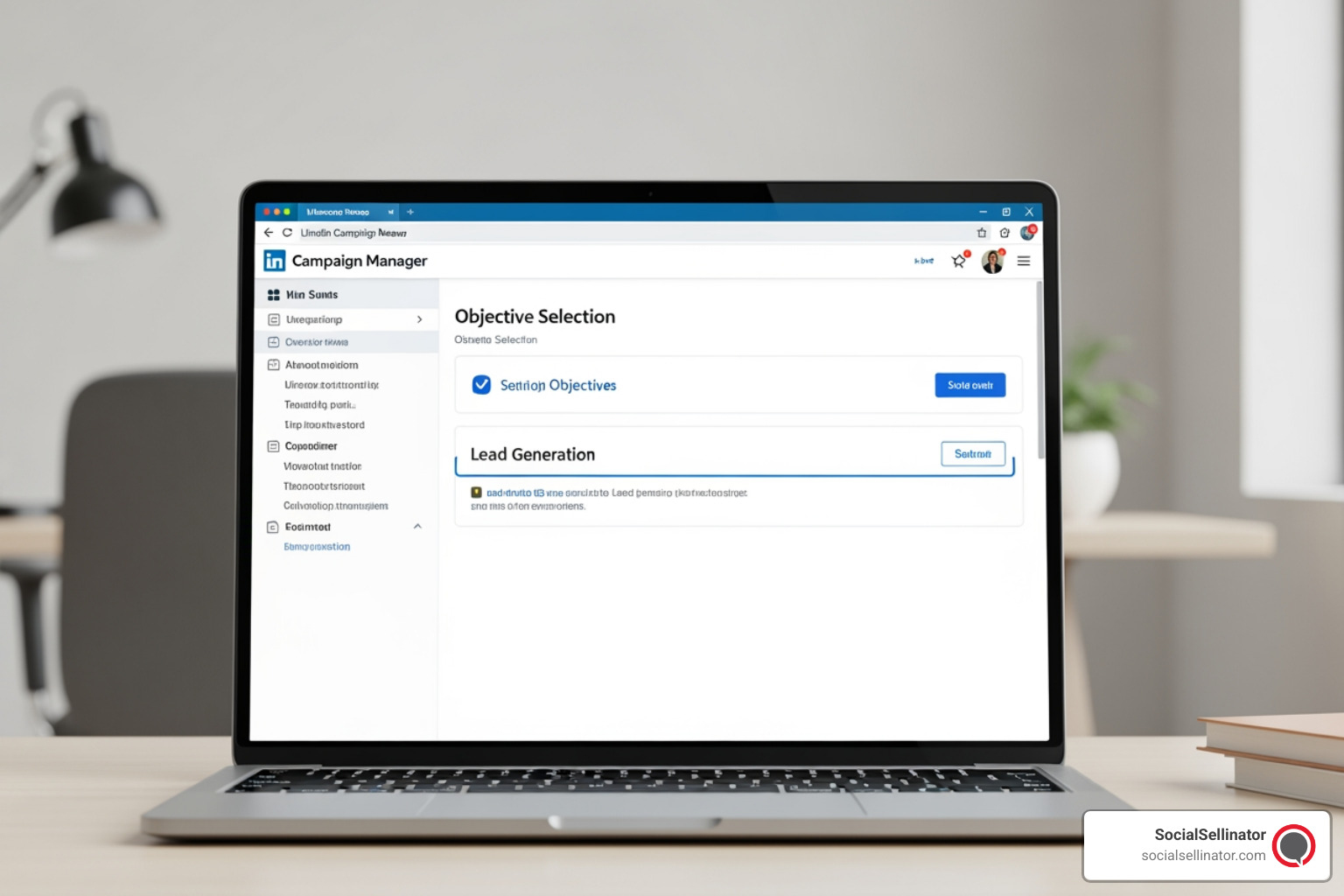
To begin, log into Campaign Manager and follow these foundational steps:
- Select Your Campaign Group: Organize your campaigns by grouping them under a specific Campaign Group. This helps you manage budgets, run dates, and reporting across multiple related campaigns.
- Choose Your Objective: Under the “Conversions” column, select Lead Generation as your primary objective. This tells LinkedIn’s bidding algorithm to optimize your ad delivery to reach members who are most likely to open and submit a Lead Gen Form.
- Define Location and Language: Choose the geographic areas you want to target (e.g., specific metropolitan areas like Austin, Los Angeles, or Chicago) and set your target language.
- Set Your Budget and Schedule: Decide between a daily budget, a lifetime budget, or a combination of both. For testing new campaigns, we recommend starting with a daily budget of $50 to $100. This provides enough daily data to evaluate performance without overspending.
- Select Your Bidding Strategy: For beginners, we highly recommend using the Maximum Delivery bidding strategy. With this option, LinkedIn’s system automatically sets and adjusts your bid to get the maximum number of leads possible for your budget. As you gather data, you can experiment with target cost bidding to control your cost-per-lead (CPL) more tightly.
For an extensive, step-by-step visual and technical walkthrough of this entire interface, read our guide on How to Create Lead Generation Campaign in LinkedIn.
Defining Your Offer and Audience Layers
A common pitfall in B2B advertising is presenting the wrong offer at the wrong stage of the buyer’s journey. To generate high-quality leads, your offer must match the prospect’s level of intent and awareness.
Here is how to align your lead magnets with typical cost-per-lead (CPL) benchmarks and funnel stages:
- Top-of-Funnel (TOFU) – Awareness: Offers like Ebooks, checklists, and quick guides are low-friction and highly appealing. CPL benchmarks typically sit between $30 and $80.
- Middle-of-Funnel (MOFU) – Consideration: Industry research reports, original data, and live webinars require more time commitment from the prospect but indicate higher intent. CPL benchmarks range from $40 to $150.
- Bottom-of-Funnel (BOFU) – Decision: High-intent offers like free product trials, assessments, audits, or direct demo requests target buyers ready to make a choice. CPL benchmarks reflect this high value, sitting between $100 and $250.
When structuring your targeting, we recommend building three concentric audience layers to manage your budget efficiently:
- Tier 1 Named Accounts (60% of budget): This is your highest-priority audience. It consists of uploaded target account lists (ABM) or contact lists of warm prospects, narrowed down by specific job functions or seniorities. The ideal size for this layer is 8,000 to 40,000 members.
- Lookalike Audiences (25% of budget): Let LinkedIn’s algorithm find new prospects who share professional characteristics with your converted leads or top customers. This audience layer typically ranges from 50,000 to 500,000 members.
- Broad ICP Discovery (15% of budget): Use demographic filters (industry, seniority, job function) to discover new accounts and decision-makers outside your immediate radar. This audience size can range from 200,000 to 2,000,000 members.
Pro-Tip: Always use exclusions. To protect your ad budget from being wasted on unqualified clicks, exclude your current employees, active customers, competitors, and job seekers from your active campaign audiences.
To learn more about maximizing your audience targeting layers, read our expert insights on How to Generate Leads in LinkedIn.
Designing High-Performing Lead Gen Forms
The design of your native Lead Gen Form is the final gatekeeper between a curious click and a qualified lead. While it is tempting to ask for every piece of information possible, form length directly impacts conversion rates. Every additional field you require introduces potential friction.
To design forms that convert at the highest possible rate, apply these best practices:
- Rely on Pre-Filled Fields: Take full advantage of LinkedIn’s profile data. Fields like First Name, Last Name, Job Title, Company Name, and Work Email should be automatically populated by the platform. This allows the user to submit the form in seconds.
- Limit Custom Questions: If you need to qualify leads further, you can add up to three custom questions (multiple-choice or free-form). Use these sparingly. For example, asking “What is your primary operational bottleneck?” with 3-4 multiple-choice answers can qualify intent without frustrating the user.
- Provide a Clear Privacy Policy: LinkedIn requires a valid URL to your company’s privacy policy to ensure data compliance. Make sure this link is active and clearly visible on your form.
- Optimize the Thank You Page: Do not let the interaction end when they click submit. Use the confirmation page to guide them to the next step. Include a strong CTA button like “Visit Website” or “View Case Study” to keep them engaged with your brand.
For a comprehensive checklist of form design principles, read our dedicated LinkedIn Lead Gen Best Practices Guide.
Optimizing ROI and Integrating Your CRM
Launching your campaign is only half the battle. To maximize your return on investment (ROI), you must continuously measure performance and ensure that the leads you capture are routed to your sales team instantly. A lead that sits unaddressed in Campaign Manager for days quickly goes cold.
To optimize your campaigns, monitor key performance indicators (KPIs) in real time:
- Form Fill Rate: This is the percentage of members who opened your form and successfully submitted it. If your fill rate is low (below 10%), it indicates your form has too many fields, or your ad creative set expectations that the form did not fulfill.
- Cost Per Lead (CPL): Track your CPL against industry benchmarks. If your CPL is higher than expected, test new ad creatives, refine your targeting to exclude low-performing segments, or adjust your bidding strategy.
- Lead-to-Opportunity Rate: The success of your campaign is measured by pipeline, not just form fills. Track how many leads convert into actual sales conversations.
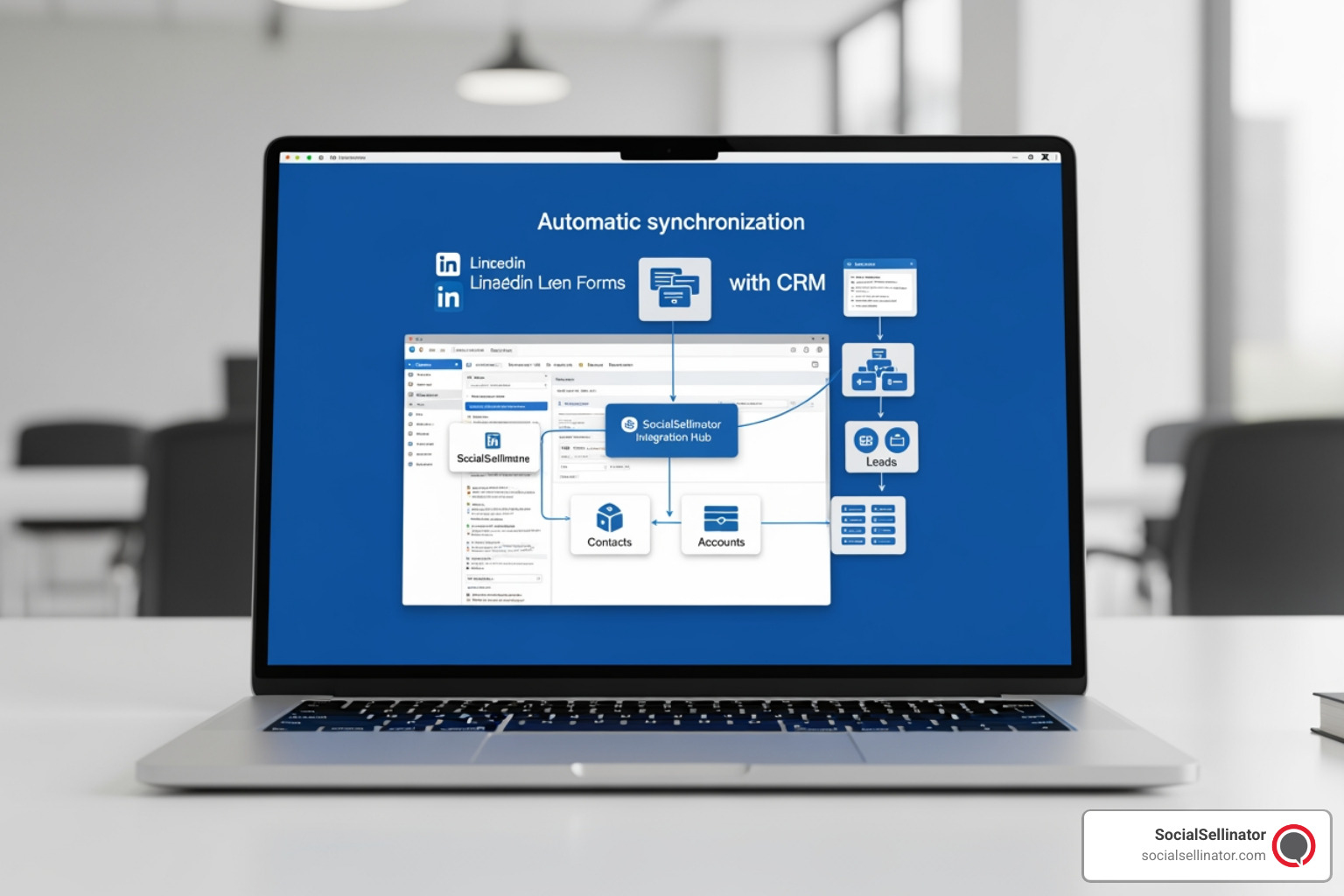
The most effective way to improve your lead-to-opportunity rate is through seamless CRM integration. Instead of manually downloading CSV files from Campaign Manager, you can connect your lead forms directly to your sales and marketing automation platforms. Using native integrations or connector tools, you can set up automated workflows:
- Instant Routing: The moment a prospect submits a LinkedIn form, their contact details and custom answers are pushed directly into your CRM.
- Immediate Follow-Up: Trigger an automated, personalized email sequence delivering the requested asset or confirming their webinar registration. This immediate touchpoint capitalizes on their peak interest.
- Sales Alerts: Automatically assign high-intent leads (like demo requests) to your sales representatives and alert them to reach out within minutes.
By automating this handoff, you reduce lead response time, build trust, and significantly increase your conversion rates. To unlock advanced strategies for managing and nurturing your leads like a pro, read our guide on Unlock the Secrets How to Generate LinkedIn Leads Like a Pro.
Frequently Asked Questions about LinkedIn Lead Gen
To help you navigate the nuances of the platform, we have compiled answers to some of the most common questions marketers ask when running campaigns.
What is the average conversion rate for LinkedIn Lead Gen Forms?
The average conversion rate for native LinkedIn Lead Gen Forms is 13%. This is significantly higher than the average external landing page conversion rate, which typically hovers around 4.02%.
This dramatic performance difference is due to the elimination of form friction and superior mobile optimization. When a user clicks an ad on their mobile device, loading an external website can take several seconds, and typing detailed professional information on a small screen is tedious. LinkedIn’s native forms load instantly within the app and auto-populate with accurate profile data, making the submission process completely seamless.
How do Lead Gen Forms support Account-Based Marketing (ABM)?
Lead Gen Forms are highly effective for ABM because they allow you to target specific, pre-selected lists of high-value accounts. You can upload a list of target companies into Campaign Manager and layer professional attributes—such as job function, seniority, and department—over that list.
This ensures that only the specific decision-makers within your target accounts see your ads. Furthermore, you can customize your form fields and offers to address the unique pain points of those specific organizations, creating a highly personalized, high-converting experience.
Can these strategies be used for specific industries like real estate?
Yes, absolutely. While LinkedIn is widely known as a B2B platform, it is also an exceptional channel for high-value B2C sectors and specialized industries like commercial or luxury residential real estate.
Because real estate transactions involve high capital, targeting high-net-worth individuals, corporate executives, or business owners is crucial. Using LinkedIn’s targeting, you can reach professionals by job seniority, company size, and geographic location (such as specific metropolitan areas like San Francisco, San Diego, or Denver). This allows real estate professionals to place high-value listings, investment opportunities, or commercial spaces directly in front of qualified, affluent buyers.
To learn more about industry-specific lead generation tactics, read our detailed guide on How to Generate Real Estate Leads on LinkedIn.
Conclusion
Running high-performing linkedin lead generation campaigns is one of the most reliable ways to build a highly targeted, predictable B2B sales pipeline. By leveraging native Lead Gen Forms, precise professional targeting, and high-converting ad formats like Document Ads and Message Ads, you can bypass the friction of traditional landing pages and connect directly with key decision-makers.
However, managing successful campaigns requires continuous optimization, creative testing, precise budget allocation, and technical integrations. If you want to maximize your advertising ROI without the trial-and-error, partnering with an experienced agency is the smartest path forward.
To learn more about how professional management can scale your pipeline, read The Ultimate Guide to LinkedIn Lead Generation Services.
Ready to transform your B2B marketing? Partner with SocialSellinator for LinkedIn Lead Generation and let our team of experts design, launch, and optimize custom campaigns tailored to your business goals.
Headquartered in San Jose, in the heart of Silicon Valley and the San Francisco Bay Area, SocialSellinator proudly provides top-tier digital marketing, SEO, PPC, social media management, and content creation services to B2B and B2C SMB companies. While serving businesses across the U.S., SocialSellinator specializes in supporting clients in key cities, including Austin, Boston, Charlotte, Chicago, Dallas, Denver, Kansas City, Los Angeles, New York, Portland, San Diego, San Francisco, and Washington, D.C.