An Essential Guide to Dynamic Search Ads
What Are Dynamic Search Google Ads – and Why Do They Matter?
Dynamic search Google ads represent a fundamental shift in how search engine marketing operates, moving away from the manual labor of keyword research and toward a more automated, content-driven approach. In this model, Google’s sophisticated algorithms crawl your website, analyze the semantic meaning of your pages, and automatically generate headlines and select landing pages that match a user’s specific search query. This means you no longer have to maintain exhaustive lists of thousands of keywords to ensure your products or services appear in front of potential customers. Instead, your website’s own content serves as the primary signal for targeting.
Here’s a comprehensive overview of what they are and how they function within a modern marketing stack:
| Feature |
Detailed Explanation |
| Targeting Logic |
Google’s AdsBot crawls your site and matches specific pages to relevant user searches based on on-page content and metadata. |
| Headline Generation |
Headlines are created in real-time, often pulling directly from your HTML page titles and primary H1 tags to ensure maximum relevance. |
| Landing Page Selection |
The system dynamically selects the most relevant URL on your domain to satisfy the user’s intent, rather than relying on a static final URL. |
| Advertiser Input |
You provide the domain, write the description lines (which remain static), and set the targeting rules or exclusions. |
| Ideal Use Cases |
Large-scale ecommerce sites, content-heavy service providers, and businesses with frequently updated inventory. |
Most traditional search campaigns rely on a rigid list of keywords that you manually build, categorize, and maintain. While this offers high control, it is incredibly time-consuming and prone to human error. It is easy to miss long-tail searches—those specific, multi-word queries that often indicate a high intent to purchase. Dynamic Search Ads (DSA) solve this problem by filling the gaps in your keyword coverage. If a user searches for a specific product variation that you haven’t explicitly targeted with a keyword, but your website has a dedicated page for it, a DSA can bridge that gap and show your ad.
Think of it this way: if someone searches for a niche solution your website clearly covers but you don’t have a specific keyword for it in your standard campaigns, a regular search ad won’t show. A DSA can identify that relevance and serve an ad that is perfectly tailored to the query. This ensures you aren’t leaving money on the table simply because your keyword list wasn’t exhaustive enough.
However, it is important to understand that DSA is not a “set it and forget it” solution. To perform well, it requires a well-structured website, smart exclusion rules, and regular monitoring of search term reports. Furthermore, the landscape is changing. As of 2026, Google is actively upgrading DSA campaigns to its new AI Max format, with automatic transitions beginning in September 2026. This guide covers everything you need to know—how DSA works, how to set it up for strong results, and how to prepare for the shift to AI Max. For businesses investing in PPC, SEO, and broader digital marketing, understanding this format is essential for maintaining a competitive edge in an increasingly automated search environment.
What Is dynamic search google ads and When Should You Use It?
At its core, dynamic search google ads leverage the power of Google’s organic crawling technology to automate the targeting of your paid search ads. Instead of building long, complex keyword lists, advertisers provide Google with a domain, specific targeting rules, ad descriptions, and a list of exclusions. Google then uses its understanding of your website’s architecture and content to match relevant searches to the most appropriate pages on your site. This approach is particularly effective for businesses that have a vast array of products or services that would be nearly impossible to map manually to individual keywords.
How Dynamic Search Ads Differ From Traditional Keyword Campaigns
The primary distinction between these two formats lies in the starting point: traditional search campaigns are keyword-led, while DSA is page-led. Understanding this difference is crucial for any digital marketing strategy.
| Element |
Dynamic Search Ads |
Traditional Keyword Ads |
| Targeting Basis |
Website content, page titles, and automated targeting rules. |
Manually selected keywords and specific match types (Exact, Phrase, Broad). |
| Headline Creation |
Generated automatically by Google to match the user’s query and the page content. |
Written manually by the advertiser to fit specific ad groups. |
| Landing Page Choice |
Selected dynamically by Google based on the relevance of the page to the search. |
Chosen manually by the advertiser for each ad or ad group. |
| Query Discovery |
Exceptional at finding long-tail and missed searches that keywords might overlook. |
Limited strictly to the coverage provided by the chosen keyword list. |
| Control Level |
Lower, as Google makes many of the real-time decisions. |
Higher, as the advertiser controls every word and destination. |
| Strategic Role |
Used to fill gaps, scale coverage, and discover new demand. |
Used for precision, brand protection, and high-intent core terms. |
| Maintenance |
Requires monitoring of search terms and exclusions. |
Requires constant keyword research, bid management, and ad copy testing. |
The big difference is the trade-off between control and coverage. Keyword campaigns give you tighter control over exactly which queries trigger your ads and what the messaging looks like. DSA, on the other hand, provides a faster, more scalable way to cover the vast “long tail” of search—the millions of unique, low-volume queries that make up a significant portion of total search volume. In practice, most successful advertisers do best with a hybrid structure. You use keyword campaigns for your highest-priority, high-converting terms, and then use DSA to catch relevant searches that fall outside that core set. This ensures you are maximizing your reach without sacrificing the precision needed for your most important business drivers.
Best-Fit Use Cases for Dynamic Search Ads
While DSA is a powerful tool, it isn’t the right fit for every website. It tends to perform best when a website meets several criteria:
- Large Volume of Indexable Pages: Sites with hundreds or thousands of pages benefit most from the automation DSA provides.
- Clear Page Titles and Strong On-Page Copy: Since Google uses your content to generate ads, the quality of your SEO (Search Engine Optimization) directly impacts the quality of your DSA performance.
- Stable Inventory or Service Offerings: While DSA can handle changes, it works best on sites where the core content doesn’t disappear or change URLs every few hours.
- Distinct Product or Service Categories: Well-organized sites allow Google to categorize your content more accurately, leading to better targeting.
- Reliable Conversion Tracking: Because DSA relies heavily on automation, having a clear feedback loop of what constitutes a “win” (a lead or a sale) is essential for the algorithm to optimize effectively.
Common fits include:
- Ecommerce sites: Especially those with large catalogs where manual keyword creation for every SKU is impractical.
- Service businesses: Companies with many location-specific pages or specialized service offerings across different regions.
- Lead generation sites: Businesses with deep resource sections, blogs, or whitepapers that can attract top-of-funnel interest.
- B2B companies: Organizations with large, well-organized websites that cover complex technical topics or diverse industries.
Conversely, DSA is usually a weaker fit for “thin” websites with very little text, sites that rely heavily on Flash or images rather than HTML text, or sites with rapidly changing daily-deal style inventory where pages are frequently created and destroyed. It is also not ideal for sites with many pages that should never receive paid traffic, such as internal policy pages, employee login portals, or support documentation, unless strict exclusions are put in place.
How Dynamic Search Ads Work Behind the Scenes
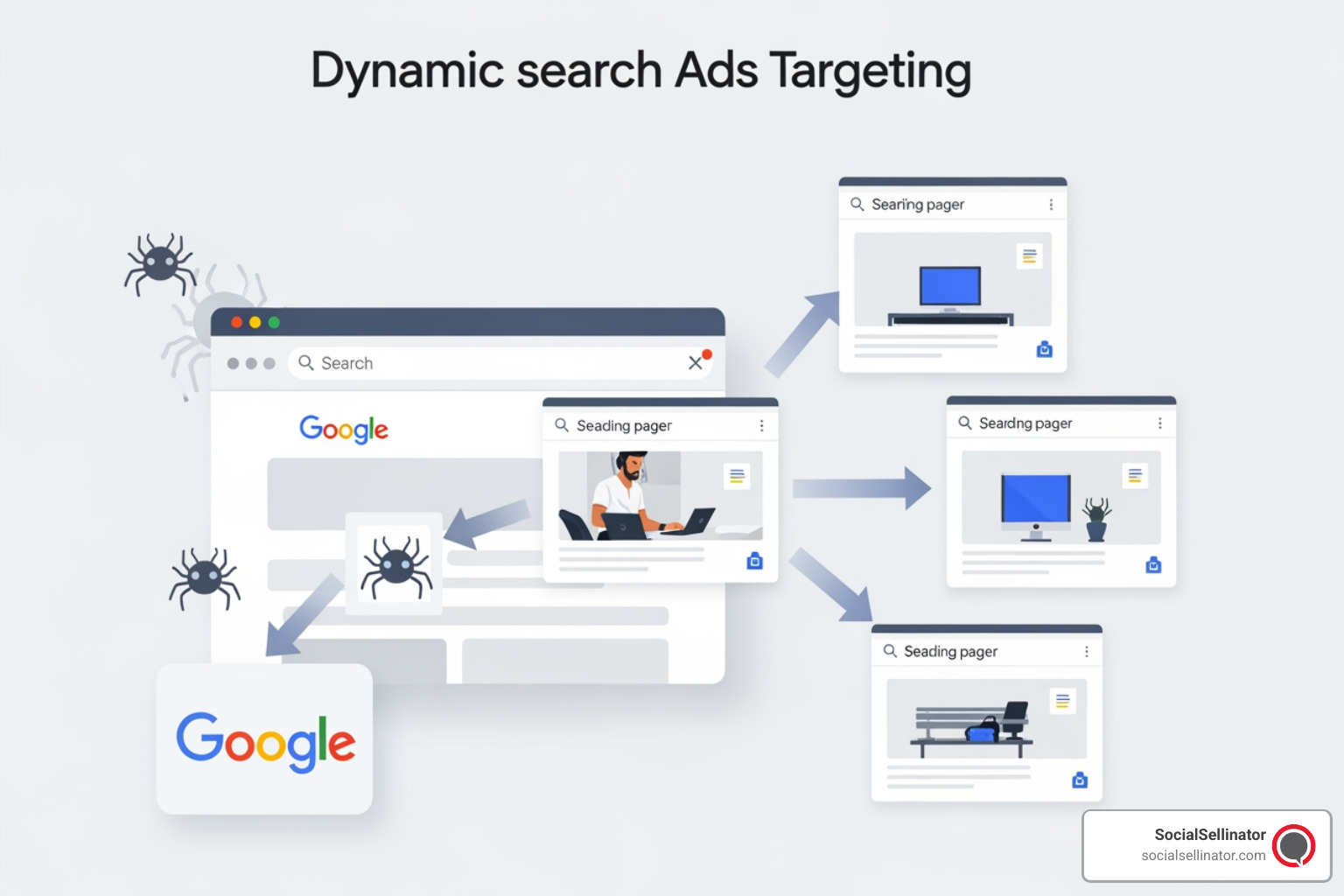
The technical process behind dynamic search google ads is a sophisticated blend of web crawling and real-time auction dynamics. Google essentially treats your website as a giant database of potential ad targets. By understanding the content on eligible pages, Google can match your site to searches that you might never have thought to target manually. This process is highly structured and relies on several key components working in harmony.
How Google Generates Headlines and Chooses Landing Pages
When a user enters a search query into Google, the system immediately looks for a page on your website that appears relevant to that specific query. If a match is found, Google’s system dynamically generates an ad headline. This headline is not pulled from a pre-written list; instead, it is created on the fly using signals from the matched page. The most important signals are the HTML </code> tag and the primary headers (H1, H2) on the page.</p>
<p class="wp-block-paragraph"><strong>In a standard DSA setup, the workflow looks like this:</strong></p>
<ol class="wp-block-list">
<li><strong>Domain Provision:</strong> You provide the final domain and specify the language settings for the campaign.</li>
<li><strong>Crawling:</strong> Google crawls the site using its ads bot, which is similar to the bot used for organic search indexing but focused on ad relevance.</li>
<li><strong>Categorization:</strong> Eligible pages are grouped into categories based on their themes, or they are matched based on specific rules you have defined.</li>
<li><strong>Selection:</strong> When a relevant query occurs, Google selects the best-fitting page to serve as the landing page.</li>
<li><strong>Ad Creation:</strong> Google creates a custom headline that mirrors the user’s search intent and links it to the selected page. You, the advertiser, provide the static description lines that appear below the headline.</li>
</ol>
<p class="wp-block-paragraph">This mechanism highlights why website quality is so important. If your page titles are vague, duplicated across multiple pages, or stuffed with awkward, non-human-readable language, the generated headlines will likely be poor. In many ways, DSA acts as a mirror, reflecting the quality of your site’s SEO and content structure back at you. If your site is messy, your ads will be too.</p>
<h3 class="wp-block-heading" id="dynamic-targeting-options-in-google-ads">Dynamic Targeting Options in Google Ads</h3>
<p class="wp-block-paragraph">Google Ads provides several ways to define which parts of your website should be eligible for DSA. This allows for a high degree of customization, even within an automated framework:</p>
<ul class="wp-block-list">
<li><strong>Categories:</strong> Google automatically groups your pages into themes (e.g., “running shoes,” “hiking gear”). You can choose to target specific categories and set different bids for each.</li>
<li><strong>URL_Equals:</strong> This allows you to target one exact URL. It is the most precise form of targeting but lacks the scale of other options.</li>
<li><strong>URL_Contains:</strong> You can target all pages that contain a specific string in the URL (e.g., target all pages that contain “/services/”).</li>
<li><strong>All Webpages:</strong> This is the broadest option, allowing Google to consider every crawlable page on your domain for ad placement.</li>
<li><strong>Specific Webpages (Rules):</strong> You can create complex rules based on the URL, the page title, or even specific content found on the page.</li>
<li><strong>Custom Labels through Page Feeds:</strong> This is often considered the “gold standard” for advanced advertisers. You upload a spreadsheet (a page feed) of specific URLs you want to target and assign them custom labels. This gives you total control over which pages are in the pool and allows you to group them by business priority, such as “high margin” or “clearance.”</li>
</ul>
<p class="wp-block-paragraph">Page feeds are especially useful for large enterprises that want to ensure they are only spending money on high-value commercial pages, excluding blog posts or informational content that might not lead to a direct sale.</p>
<h3 class="wp-block-heading" id="how-dynamic-search-google-ads-reports-and-search-terms-data-help-optimization">How dynamic search google ads Reports and Search Terms Data Help Optimization</h3>
<p class="wp-block-paragraph">Optimization in a DSA campaign is different from traditional keyword optimization. Since you aren’t bidding on keywords, you can’t simply pause a low-performing word. Instead, you must use the search terms report and landing page reports to guide the system. In these reports, you will see exactly what people searched for and which page Google decided to show them.</p>
<p class="wp-block-paragraph"><strong>Key metrics and areas for review include:</strong></p>
<ul class="wp-block-list">
<li><strong>Search Term Relevance:</strong> Are the queries triggering your ads actually relevant to your business? If not, you need to add negative keywords.</li>
<li><strong>Landing Page Performance:</strong> Which pages are converting at the highest rate? You might want to create specific ad groups for these high-performers to give them more budget or specific description lines.</li>
<li><strong>Headline Accuracy:</strong> Do the generated headlines make sense? If they look strange, it’s a sign you need to update your HTML page titles.</li>
<li><strong>Negative Targets:</strong> If certain pages (like your “Careers” page) are getting traffic but no conversions, you should add them as negative dynamic targets.</li>
</ul>
<p class="wp-block-paragraph">This is where the strategy comes in. DSA is not just about letting the machine run; it’s about providing the machine with the best possible data and then refining its output. Many sophisticated marketing teams pair this process with a clean reporting structure and broader PPC analytics workflows to ensure that every dollar spent on automation is contributing to the bottom line. This type of process fits naturally into wider paid search and measurement programs when businesses want tighter visibility into how automation supports revenue growth.</p>
<h2 class="wp-block-heading" id="benefits-risks-and-limitations-of-dynamic-search-ads">Benefits, Risks, and Limitations of Dynamic Search Ads</h2>
<p class="wp-block-paragraph">While <strong>dynamic search google ads</strong> offer a path to rapid scaling and increased efficiency, they are not a magic bullet. The same automation that allows you to reach new customers can also lead to wasted spend if your website structure is disorganized or if your campaign settings are too broad. Understanding both the advantages and the potential pitfalls is essential for any advertiser looking to integrate DSA into their digital marketing mix.</p>
<h3 class="wp-block-heading" id="the-biggest-benefits-for-advertisers">The Biggest Benefits for Advertisers</h3>
<p class="wp-block-paragraph">There are several compelling reasons why professional advertisers continue to rely on DSA as a core part of their strategy:</p>
<ul class="wp-block-list">
<li><strong>Speed to Market:</strong> You can launch a campaign covering thousands of products in a fraction of the time it would take to build a traditional keyword-based campaign.</li>
<li><strong>Comprehensive Coverage:</strong> DSA is unmatched at finding long-tail queries. These are often less competitive and have a lower Cost Per Click (CPC) than broad, high-volume keywords.</li>
<li><strong>Automatic Ad Updates:</strong> When you add a new product or service page to your site, Google’s crawler will eventually find it and start showing ads for it automatically. You don’t have to manually update your ad groups every time your inventory changes.</li>
<li><strong>Highly Relevant Headlines:</strong> Because the headlines are generated based on the user’s actual search and your page’s content, they often have a higher Click-Through Rate (CTR) than static, pre-written ads.</li>
<li><strong>Gap Identification:</strong> DSA reports can act as a research tool, showing you new keywords that are converting well, which you can then move into dedicated, high-control keyword campaigns.</li>
</ul>
<p class="wp-block-paragraph">For teams managing growth-focused PPC programs, the efficiency gain is the most significant benefit. It allows marketers to focus on high-level strategy and creative messaging rather than the minutiae of keyword list management.</p>
<h3 class="wp-block-heading" id="common-challenges-and-how-to-mitigate-them">Common Challenges and How to Mitigate Them</h3>
<p class="wp-block-paragraph">The most common problems encountered with DSA are usually not faults of the algorithm itself, but rather reflections of underlying website issues. If your site is a mess, your DSA campaign will be a mess too.</p>
<p class="wp-block-paragraph"><strong>Watch for these common red flags:</strong></p>
<ul class="wp-block-list">
<li><strong>Weak or Duplicated Page Titles:</strong> If multiple pages have the same title, Google may struggle to choose the right landing page, or it may generate repetitive, unhelpful headlines.</li>
<li><strong>Thin Content:</strong> Pages with very little text give the AdsBot very little information to work with, leading to poor matching.</li>
<li><strong>Irrelevant Page Inclusion:</strong> Without strict rules, Google might show ads for your “Privacy Policy,” “Terms of Service,” or “Employee Portal.”</li>
<li><strong>Crawlability Issues:</strong> If your robots.txt file blocks the AdsBot, or if your site has many broken links (404 errors), the campaign will fail to serve ads effectively.</li>
<li><strong>Search Overlap:</strong> If not managed correctly, DSA can compete with your own keyword campaigns, potentially driving up your own costs or making reporting confusing.</li>
</ul>
<p class="wp-block-paragraph"><strong>A smart exclusions list is your best defense. You should almost always exclude:</strong></p>
<ul class="wp-block-list">
<li>About Us and Company History pages</li>
<li>Careers and Job Listing pages</li>
<li>Privacy Policy and Legal Terms</li>
<li>Support, Help Center, and FAQ pages</li>
<li>Login and Account Management pages</li>
<li>Out-of-stock product pages (using “URL_Contains” rules for “out-of-stock” or similar strings)</li>
<li>Thank-you and Conversion Confirmation pages</li>
</ul>
<p class="wp-block-paragraph">To prevent cannibalization of your core keyword campaigns, it is a best practice to add your existing exact and phrase match keywords as negatives in your DSA campaign. This ensures that your manual campaigns handle the terms you’ve specifically optimized for, while DSA focuses on finding the incremental traffic you haven’t yet captured.</p>
<h3 class="wp-block-heading" id="website-and-policy-requirements-before-launch">Website and Policy Requirements Before Launch</h3>
<p class="wp-block-paragraph">Before you flip the switch on a DSA campaign, you must ensure your website meets Google’s technical and editorial requirements. Failure to do so can lead to ad disapprovals or poor performance.</p>
<ul class="wp-block-list">
<li><strong>Single-Language Setup:</strong> Each DSA campaign should target only one language. If your site is multilingual, you need separate campaigns for each language.</li>
<li><strong>Crawlable Infrastructure:</strong> Ensure your site is not behind a login wall and that the AdsBot is not blocked in your server settings.</li>
<li><strong>Mobile-Friendly Design:</strong> Google prioritizes the user experience. If your landing pages are not mobile-responsive, your quality scores and performance will suffer.</li>
<li><strong>Clear Call to Action (CTA):</strong> Your pages should clearly state what you want the user to do (e.g., “Buy Now,” “Get a Quote,” “Sign Up”).</li>
<li><strong>Editorial Compliance:</strong> Your page titles and on-page text must follow Google’s standard advertising policies regarding capitalization, punctuation, and prohibited content.</li>
</ul>
<p class="wp-block-paragraph">In short, if a human visitor would find your website confusing or difficult to navigate, Google’s automation will likely feel the same way. Clean, clear, and descriptive content is the foundation of a successful DSA strategy.</p>
<h2 class="wp-block-heading" id="how-to-set-up-dynamic-search-google-ads-for-strong-performance">How to Set Up dynamic search google ads for Strong Performance</h2>
<p class="wp-block-paragraph">A successful setup for <strong>dynamic search google ads</strong> requires a balance between giving the AI enough freedom to find opportunities and providing enough constraints to prevent waste. Structure is everything. If your campaign is disciplined and your website is organized, the results can be exceptional.</p>
<h3 class="wp-block-heading" id="campaign-structure-bidding-and-budget-controls">Campaign Structure, Bidding, and Budget Controls</h3>
<p class="wp-block-paragraph">When building your first DSA campaign, follow a logical, tiered approach to ensure you maintain control over your spend:</p>
<ol class="wp-block-list">
<li><strong>Enable DSA at the Campaign Level:</strong> When creating a new Search campaign, you must opt into the dynamic search settings and provide your domain.</li>
<li><strong>Define Your Domain and Language:</strong> Be precise. If you only want to target a specific sub-domain, make sure that is reflected in your settings.</li>
<li><strong>Organize Ad Groups by Theme:</strong> Don’t just put everything into one ad group. Create separate ad groups for different product categories or service lines. This allows you to write more relevant description lines for each group.</li>
<li><strong>Implement Targeting Rules:</strong> Decide whether you want to use Google’s categories, specific URL rules, or a curated page feed.</li>
<li><strong>Craft Compelling Descriptions:</strong> While the headlines are dynamic, the two description lines are yours to control. Use them to highlight your unique selling propositions (USPs), such as “Free Shipping,” “24/7 Support,” or “Family Owned Since 1990.”</li>
<li><strong>Apply Negative Keywords and Exclusions:</strong> This is the most critical step for preventing wasted spend. Use account-level negative lists to block irrelevant terms from the start.</li>
<li><strong>Select a Bidding Strategy:</strong> DSA is designed to work with automated bidding. Once you have enough conversion data, strategies like Target CPA (Cost Per Acquisition) or Target ROAS (Return on Ad Spend) are usually the most effective.</li>
</ol>
<p class="wp-block-paragraph">Bidding strategy should align with your account’s maturity. In the early stages, you might use a more conservative approach with controlled budgets to see what queries the system finds. As you gather data and identify high-performing pages, you can shift to more aggressive smart bidding to maximize your conversion volume. You can also layer in bid adjustments for specific devices, audiences, or geographic locations to further refine your spend.</p>
<h3 class="wp-block-heading" id="page-feeds-negative-keywords-and-exclusions">Page Feeds, Negative Keywords, and Exclusions</h3>
<p class="wp-block-paragraph">Page feeds are one of the most powerful yet underutilized tools in the DSA arsenal. By uploading a specific list of URLs, you move away from “crawling the whole site” and toward “targeting these specific, approved pages.” This is ideal for businesses that want the benefits of dynamic headlines but need to maintain strict control over where their traffic lands.</p>
<p class="wp-block-paragraph"><strong>Use page feeds when you want to:</strong></p>
<ul class="wp-block-list">
<li><strong>Prioritize Revenue-Generating Pages:</strong> Focus your budget on products with the highest margins.</li>
<li><strong>Segment by Business Unit:</strong> Separate different parts of your business into distinct ad groups with tailored messaging.</li>
<li><strong>Manage Unstable Inventory:</strong> Easily add or remove URLs from the feed as products go in and out of stock.</li>
<li><strong>Label for Success:</strong> Use custom labels to group pages by performance, allowing for more granular bidding.</li>
</ul>
<p class="wp-block-paragraph">Negative keywords are your primary guardrail. Even though you aren’t bidding on keywords, negative keywords still prevent your ads from showing for specific terms. For example, if you sell high-end furniture, you might add “cheap,” “used,” or “rental” as negative keywords to ensure you aren’t attracting the wrong audience. Similarly, negative dynamic targets allow you to exclude URLs that contain specific words like “blog,” “forum,” or “archive,” which are unlikely to lead to a direct conversion.</p>
<h3 class="wp-block-heading" id="optimization-best-practices-after-launch">Optimization Best Practices After Launch</h3>
<p class="wp-block-paragraph">The work doesn’t end once the campaign is live. In fact, the first 30 days are the most important for refinement. Our post-launch checklist for ensuring long-term success includes:</p>
<ul class="wp-block-list">
<li><strong>Weekly Search Term Audits:</strong> Look for irrelevant queries and add them as negatives immediately.</li>
<li><strong>Landing Page Performance Review:</strong> Identify which pages have high bounce rates and investigate why. Is the content relevant to the search? Is the page loading slowly?</li>
<li><strong>Headline Quality Check:</strong> Review the headlines Google is generating. If they are cut off or don’t make sense, update your page titles.</li>
<li><strong>Target Expansion:</strong> If a specific category is performing well, consider breaking it out into its own campaign with a dedicated budget.</li>
<li><strong>Bid Adjustment Refinement:</strong> Look at performance by time of day, day of week, and location. Adjust your bids to favor the most profitable segments.</li>
<li><strong>Crawl Health Monitoring:</strong> Regularly check for 404 errors or redirects that might be hindering the AdsBot.</li>
</ul>
<p class="wp-block-paragraph">If you find that managing these technical details is taking too much time away from running your business, SocialSellinator’s Google advertising and digital marketing services can provide the expertise needed to connect campaign structure, technical optimization, and conversion tracking for maximum ROI.</p>
<h2 class="wp-block-heading" id="dynamic-search-ads-are-upgrading-to-ai-max-in-2026">Dynamic Search Ads Are Upgrading to AI Max in 2026</h2>
<p class="wp-block-paragraph">The world of search advertising is currently undergoing its most significant transformation in a decade. For anyone using <strong>dynamic search google ads</strong>, the most critical development to track is the transition to AI Max. This isn’t just a minor update; it is a complete reimagining of how automated search campaigns function.</p>
<p class="wp-block-paragraph">In 2026, Google is officially upgrading Dynamic Search Ads to AI Max for Search campaigns. This transition is scheduled to begin in earnest in September 2026, with the goal of having all eligible campaigns migrated by the end of that month. This means that the logic and skills you develop for DSA today are the essential building blocks for the AI-driven future of search.</p>
<p class="wp-block-paragraph"><img decoding="async" alt="AI Max upgrade timeline for Dynamic Search Ads in 2026 infographic" class="aligncenter" src="https://images.bannerbear.com/direct/4mGpW3zwpg0ZK0AxQw/requests/000/146/595/357/0Mn5r3E1XY0OR4jKQWPoD9kg7/ea574c158d7ae4d13b03565e62f6d33965161c53.jpg" style="display: block; margin-left: auto; margin-right: auto; max-width: 100%;" title="AI Max upgrade timeline for Dynamic Search Ads in 2026 infographic"/></p>
<h3 class="wp-block-heading" id="what-ai-max-changes-compared-with-legacy-dsa">What AI Max Changes Compared With Legacy DSA</h3>
<p class="wp-block-paragraph">AI Max represents an evolution of the DSA concept, incorporating a much broader set of AI-driven features that go beyond simple page-based matching. While legacy DSA focused primarily on website content, AI Max integrates real-time intent signals, user behavior data, and more advanced creative automation.</p>
<p class="wp-block-paragraph"><strong>The major features of AI Max include:</strong></p>
<ul class="wp-block-list">
<li><strong>Advanced Search Term Matching:</strong> A more nuanced understanding of user intent that goes beyond simple keyword or page matching.</li>
<li><strong>Enhanced Text Customization:</strong> AI-driven ad copy that can adapt more fluidly to the specific context of a user’s search.</li>
<li><strong>Final URL Expansion:</strong> A more intelligent way for Google to find the absolute best landing page, even across complex site architectures.</li>
<li><strong>Robust Brand Controls:</strong> New tools to ensure that automated ads stay within your brand’s voice and style guidelines.</li>
<li><strong>Granular Location Controls:</strong> Better precision in how ads are served to users in specific geographic areas.</li>
<li><strong>Dynamic Text Guidelines:</strong> The ability to provide the AI with specific “guardrails” for the types of language it should and should not use.</li>
</ul>
<p class="wp-block-paragraph">According to early data from Google, campaigns that have moved to the full AI Max feature suite have seen an average increase of 7% in conversions or conversion value, while maintaining a similar CPA or ROAS. This suggests that the added layers of AI are successfully finding more efficient ways to connect advertisers with customers. However, these results depend heavily on the quality of the data provided to the system—meaning your website and conversion tracking must be in top shape.</p>
<h3 class="wp-block-heading" id="timeline-automatic-migration-and-voluntary-upgrade-options">Timeline, Automatic Migration, and Voluntary Upgrade Options</h3>
<p class="wp-block-paragraph">Google has laid out a clear path for this transition to ensure advertisers have time to prepare:</p>
<ul class="wp-block-list">
<li><strong>Voluntary Upgrades:</strong> Advertisers are encouraged to begin testing AI Max features and proactively upgrading their campaigns before the forced migration begins. This allows for a more controlled testing environment.</li>
<li><strong>Automatic Upgrades:</strong> Starting in September 2026, Google will begin automatically migrating eligible DSA campaigns that haven’t already moved. This includes campaigns using automatically created assets and campaign-level broad match.</li>
<li><strong>Completion:</strong> The transition is expected to be finalized for all advertisers by the end of September 2026.</li>
</ul>
<p class="wp-block-paragraph">Google has stated that during the automatic migration, legacy settings, URL controls, and exclusions will be preserved as much as possible. However, relying on an automatic process is rarely the best strategy for high-performance accounts. Proactive management is always preferred.</p>
<h3 class="wp-block-heading" id="how-advertisers-should-prepare-for-the-shift">How Advertisers Should Prepare for the Shift</h3>
<p class="wp-block-paragraph">Preparation for AI Max should be a practical, step-by-step process. You don’t need to reinvent your entire marketing strategy, but you do need to ensure your foundation is solid. We recommend the following actions:</p>
<ul class="wp-block-list">
<li><strong>Audit Your Current DSA Campaigns:</strong> Identify what is working and what isn’t. Clean up any messy ad groups or outdated targeting rules.</li>
<li><strong>Refine Your Page Feeds:</strong> Ensure your feeds only contain high-quality, relevant URLs with accurate custom labels.</li>
<li><strong>Tighten Your Exclusions:</strong> Make sure your negative keyword lists and URL exclusions are comprehensive.</li>
<li><strong>Optimize Your Website Content:</strong> Since AI Max still relies on your site as a primary signal, improving your page titles and on-page copy will pay dividends.</li>
<li><strong>Verify Conversion Tracking:</strong> Automation is only as good as the data it receives. Ensure your tracking is capturing every valuable action accurately.</li>
<li><strong>Test Early:</strong> If you have the opportunity to use AI Max features now, do so in a limited capacity to understand how they impact your specific account.</li>
</ul>
<p class="wp-block-paragraph">By getting organized now, you can ensure that the transition to AI Max is a growth opportunity rather than a technical headache. Automation amplifies what is already there—if you provide it with high-quality inputs, it will deliver high-quality results.</p>
<h2 class="wp-block-heading" id="frequently-asked-questions-about-dynamic-search-ads">Frequently Asked Questions About Dynamic Search Ads</h2>
<h3 class="wp-block-heading" id="are-dynamic-search-ads-still-worth-using-in-2026">Are Dynamic Search Ads still worth using in 2026?</h3>
<p class="wp-block-paragraph">Absolutely. While the platform is evolving toward AI Max, the core logic of using your website content to drive ad targeting remains incredibly relevant. DSA is still one of the most effective ways to discover new search trends, cover the long tail of search, and manage large-scale advertising efforts efficiently. It is a foundational skill that every modern search marketer needs to master.</p>
<h3 class="wp-block-heading" id="can-dynamic-search-ads-replace-keyword-campaigns-entirely">Can Dynamic Search Ads replace keyword campaigns entirely?</h3>
<p class="wp-block-paragraph">For the vast majority of businesses, the answer is no. A hybrid strategy is almost always superior. Keyword campaigns allow you to maintain 100% control over your most important brand and high-intent terms, ensuring your messaging is perfect. DSA should be used as a powerful complement to these campaigns, filling in the gaps and finding the “unknown unknowns” that your keyword research might have missed.</p>
<h3 class="wp-block-heading" id="what-should-i-monitor-weekly-in-a-dsa-campaign">What should I monitor weekly in a DSA campaign?</h3>
<p class="wp-block-paragraph">To keep a DSA campaign healthy, you should perform a weekly check of the following:</p>
<ul class="wp-block-list">
<li><strong>Search Terms Report:</strong> Identify and exclude irrelevant queries.</li>
<li><strong>Landing Page Report:</strong> See which pages are attracting traffic and if they are the ones you want to promote.</li>
<li><strong>Conversion Data:</strong> Ensure that the automated targeting is actually leading to sales or leads.</li>
<li><strong>Negative Keyword List:</strong> Update your negatives based on new search trends.</li>
<li><strong>Site Health:</strong> Check for any new crawl errors or broken pages that might be affecting the campaign.</li>
</ul>
<h3 class="wp-block-heading" id="how-does-dsa-impact-my-seo">How does DSA impact my SEO?</h3>
<p class="wp-block-paragraph">There is a symbiotic relationship between DSA and SEO. Because DSA uses your website’s content and HTML titles to generate ads, having strong SEO makes your DSA campaigns more effective. Conversely, the search terms report from your DSA campaigns can provide valuable insights into which keywords people are using to find your site, which can then inform your organic content strategy.</p>
<h3 class="wp-block-heading" id="what-is-the-biggest-mistake-people-make-with-dsa">What is the biggest mistake people make with DSA?</h3>
<p class="wp-block-paragraph">The most common mistake is being too broad with targeting. Many advertisers simply select “All Webpages” and forget to add exclusions. This leads to spending money on non-commercial pages like “Careers” or “Terms of Service.” Success with DSA requires a “negative-first” mindset—you must be aggressive about telling Google where <em>not</em> to show your ads.</p>
<h3 class="wp-block-heading" id="how-many-description-lines-do-i-need-for-a-dsa-ad">How many description lines do I need for a DSA ad?</h3>
<p class="wp-block-paragraph">You should provide two description lines, each up to 90 characters. Since these are the only parts of the ad text you control (other than the display URL), make sure they are compelling, include a clear call to action, and are broad enough to make sense across all the different pages that might be targeted within that ad group.</p>
<h3 class="wp-block-heading" id="does-dsa-work-for-small-websites">Does DSA work for small websites?</h3>
<p class="wp-block-paragraph">While DSA is most powerful for large sites, it can still work for smaller sites if they have very clear, content-rich pages. However, if your site only has 5 or 10 pages, you are likely better off using traditional keyword campaigns where you have more direct control over the targeting.</p>
<h2 class="wp-block-heading" id="conclusion">Conclusion</h2>
<p class="wp-block-paragraph">Dynamic Search Ads represent one of the most efficient ways to expand your reach in the ever-changing world of search. By leveraging Google’s automation to match your website’s content with user intent, you can capture high-value traffic that traditional keyword-based campaigns might miss. However, the key to success lies in the details: a strong website structure, a disciplined approach to exclusions, and a commitment to ongoing optimization.</p>
<p class="wp-block-paragraph">As we move toward the AI Max transition in 2026, the importance of understanding these automated systems only grows. Advertisers who take the time to master DSA now—by refining their page feeds, cleaning up their site architecture, and embracing data-driven optimization—will be the ones who thrive in the next era of digital marketing. Whether you are an ecommerce giant or a growing service provider, the ability to connect your content directly to user needs is a powerful competitive advantage.</p>
<p class="wp-block-paragraph">If you want help building a stronger PPC framework around automation, search visibility, conversion tracking, and SEO alignment, our team at SocialSellinator can help connect the dots across paid search, SEO, analytics, and broader digital marketing strategy.</p>
<p class="wp-block-paragraph">Headquartered in San Jose, in the heart of Silicon Valley and the San Francisco Bay Area, SocialSellinator proudly provides top-tier digital marketing, SEO, PPC, <a class="wpil_keyword_link" href="/services/social-media-management/" target="_blank" rel="noopener" title="social media management" data-wpil-keyword-link="linked" data-wpil-monitor-id="2324">social media management</a>, and content creation services to B2B and B2C SMB companies. While serving businesses across the U.S., SocialSellinator specializes in supporting clients in key cities, including Austin, Boston, Charlotte, Chicago, Dallas, Denver, Kansas City, Los Angeles, New York, Portland, San Diego, San Francisco, and Washington, D.C.</p>
</div><!-- Author box (bottom) — full profile card, links to author page for E-E-A-T --><section class="author-box" id="about-author" data-astro-cid-zg7dkzxc><a href="/author-claude-prevost/" class="author-img-link" data-astro-cid-zg7dkzxc><img class="author-img" src="/images/authors/claude-prevost.webp" alt="Claude Prevost" width="72" height="72" loading="lazy" data-astro-cid-zg7dkzxc></a><div class="author-body" data-astro-cid-zg7dkzxc><span class="author-label" data-astro-cid-zg7dkzxc>Written by</span><a class="author-name" href="/author-claude-prevost/" data-astro-cid-zg7dkzxc>Claude Prevost</a><span class="author-role" data-astro-cid-zg7dkzxc>Marketing Director, SocialSellinator</span><p class="author-bio" data-astro-cid-zg7dkzxc>Claude Prevost is the Marketing Director at SocialSellinator, with more than 20 years in SEO, conversion rate optimization, and digital advertising. A Google certified professional in Google Ads and Google Analytics, he has partnered with over 200 businesses and now leads the agency's work on LLM optimization and AI search visibility.</p><span class="author-links" data-astro-cid-zg7dkzxc><a class="author-more" href="/author-claude-prevost/" data-astro-cid-zg7dkzxc>Full profile & article archive <span class="arrow" data-astro-cid-zg7dkzxc>→</span></a><a class="author-more" href="https://www.linkedin.com/in/claude-prevost-5a8778227/" rel="noopener" target="_blank" data-astro-cid-zg7dkzxc>LinkedIn</a><a class="author-more author-more-cal" href="https://calendly.com/jockb/marketing_roi" data-astro-cid-zg7dkzxc>Work with our team</a></span></div></section><!-- Visual related posts — image cards with overlay (replaces LinkWhisper plain-link list) --><div class="post-cta" data-astro-cid-zg7dkzxc><p data-astro-cid-zg7dkzxc>Want results like these for your business?</p><a href="https://calendly.com/jockb/marketing_roi" class="btn btn-primary" data-astro-cid-zg7dkzxc>Book a Growth Strategy Session <span class="arrow" data-astro-cid-zg7dkzxc>→</span></a></div></article><aside class="page-sidebar" data-astro-cid-hasoujoj><nav class="toc-box" aria-label="On this page" data-astro-cid-hasoujoj><h2 class="toc-heading" data-astro-cid-hasoujoj><svg class="toc-icon" width="14" height="14" viewBox="0 0 24 24" fill="none" stroke="currentColor" stroke-width="2" aria-hidden="true" data-astro-cid-hasoujoj><path stroke-linecap="round" stroke-linejoin="round" d="M4 6h16M4 12h16M4 18h7" data-astro-cid-hasoujoj></path></svg>On This Page</h2><ul class="toc-list" data-astro-cid-hasoujoj><li data-astro-cid-hasoujoj><a href="#s-1" data-astro-cid-hasoujoj><span class="toc-arrow" data-astro-cid-hasoujoj>›</span>An Essential Guide to Dynamic Search Ads</a></li><li data-astro-cid-hasoujoj><a href="#about-author" data-astro-cid-hasoujoj><span class="toc-arrow" data-astro-cid-hasoujoj>›</span>About the Author</a></li></ul></nav><div class="quote-box" id="contact" data-astro-cid-hasoujoj><h2 class="quote-title" data-astro-cid-hasoujoj>Send us a message</h2><p class="quote-sub" data-astro-cid-hasoujoj>Questions about your marketing? Ask away.</p><p class="quote-context" data-astro-cid-hasoujoj>For this article — and programs like the ones it describes</p><form class="quote-form" method="POST" action="https://formsubmit.co/info@socialsellinator.com" data-astro-cid-hasoujoj><input type="hidden" name="_subject" value="New lead — this article — and programs like the ones it describes" data-astro-cid-hasoujoj><input type="hidden" name="page" value="/blog/an-essential-guide-to-dynamic-search-ads/" data-astro-cid-hasoujoj><input type="text" name="_honey" style="display:none" data-astro-cid-hasoujoj><input type="hidden" name="_captcha" value="false" data-astro-cid-hasoujoj><input type="hidden" name="_next" value="https://socialsellinator.com/thank-you" data-astro-cid-hasoujoj><input type="text" name="name" placeholder="Your name" required aria-label="Your name" data-astro-cid-hasoujoj><input type="email" name="email" placeholder="Email address" required aria-label="Email address" data-astro-cid-hasoujoj><input type="tel" name="phone" placeholder="Phone (optional)" aria-label="Phone number" data-astro-cid-hasoujoj><textarea name="message" rows="3" placeholder="What do you need help with?" aria-label="What do you need help with?" data-astro-cid-hasoujoj></textarea><button type="submit" class="btn btn-primary quote-submit" data-astro-cid-hasoujoj>Send Message<span class="arrow" data-astro-cid-hasoujoj>→</span></button></form><div class="quote-alt" data-astro-cid-hasoujoj><span data-astro-cid-hasoujoj>Prefer to talk first?</span><a href="https://calendly.com/jockb/marketing_roi" data-astro-cid-hasoujoj>Book a Growth Strategy Session →</a></div></div></aside></div><section class="cta-banner" data-astro-cid-xbmphpjl><div class="container" data-astro-cid-xbmphpjl><span class="cta-eyebrow" data-astro-cid-xbmphpjl>Let's grow</span><h2 data-astro-cid-xbmphpjl>Your competitors are showing up where buyers search. Let's make sure you do too.</h2><p class="cta-sub" data-astro-cid-xbmphpjl>SEO, AI search visibility, content, paid media, social, and LinkedIn — one team, one strategy, measured in pipeline.</p><a href="https://calendly.com/jockb/marketing_roi" class="btn btn-lg cta-btn" data-astro-cid-xbmphpjl>Book a Growth Strategy Session<span class="arrow" data-astro-cid-xbmphpjl>→</span></a></div></section></main><footer class="footer" data-astro-cid-jo6i4kqk><div class="container" data-astro-cid-jo6i4kqk><div class="footer-grid" data-astro-cid-jo6i4kqk><!-- Brand column --><div class="footer-brand-col" data-astro-cid-jo6i4kqk><a href="/" class="footer-logo" data-astro-cid-jo6i4kqk><img src="/logo.webp" alt="SocialSellinator" width="707" height="192" style="height: 36px; width: auto; filter: brightness(0) invert(1);" data-astro-cid-jo6i4kqk></a><p class="footer-tagline" data-astro-cid-jo6i4kqk>The Visibility to Pipeline Engine for growing B2B companies. Strategy first, then get found, build trust, and grow pipeline.</p><div class="footer-social" data-astro-cid-jo6i4kqk><a href="https://www.linkedin.com/company/socialsellinator" aria-label="LinkedIn" class="footer-social-icon" data-astro-cid-jo6i4kqk><svg width="16" height="16" viewBox="0 0 24 24" fill="currentColor" data-astro-cid-jo6i4kqk><path d="M20.5 2h-17A1.5 1.5 0 002 3.5v17A1.5 1.5 0 003.5 22h17a1.5 1.5 0 001.5-1.5v-17A1.5 1.5 0 0020.5 2zM8 19H5v-9h3zM6.5 8.25A1.75 1.75 0 118.3 6.5a1.78 1.78 0 01-1.8 1.75zM19 19h-3v-4.74c0-1.42-.6-1.93-1.38-1.93S13 12.79 13 14.16V19h-3v-9h2.9v1.3a3.11 3.11 0 012.7-1.4c1.55 0 3.36.86 3.36 3.66z" data-astro-cid-jo6i4kqk></path></svg></a><a href="https://twitter.com/SocialSellinator" aria-label="Twitter" class="footer-social-icon" data-astro-cid-jo6i4kqk><svg width="16" height="16" viewBox="0 0 24 24" fill="currentColor" data-astro-cid-jo6i4kqk><path d="M18.244 2.25h3.308l-7.227 8.26 8.502 11.24H16.17l-5.214-6.817L4.99 21.75H1.68l7.73-8.835L1.254 2.25H8.08l4.713 6.231zm-1.161 17.52h1.833L7.084 4.126H5.117z" data-astro-cid-jo6i4kqk></path></svg></a><a href="https://www.facebook.com/SocialSellinator" aria-label="Facebook" class="footer-social-icon" data-astro-cid-jo6i4kqk><svg width="16" height="16" viewBox="0 0 24 24" fill="currentColor" data-astro-cid-jo6i4kqk><path d="M24 12.073c0-6.627-5.373-12-12-12s-12 5.373-12 12c0 5.99 4.388 10.954 10.125 11.854v-8.385H7.078v-3.47h3.047V9.43c0-3.007 1.792-4.669 4.533-4.669 1.312 0 2.686.235 2.686.235v2.953H15.83c-1.491 0-1.956.925-1.956 1.874v2.25h3.328l-.532 3.47h-2.796v8.385C19.612 23.027 24 18.062 24 12.073z" data-astro-cid-jo6i4kqk></path></svg></a></div></div><!-- Services --><div class="footer-col" data-astro-cid-jo6i4kqk><h3 class="footer-heading" data-astro-cid-jo6i4kqk>Services</h3><ul class="footer-links" data-astro-cid-jo6i4kqk><li data-astro-cid-jo6i4kqk><a href="/services/seo-services/" data-astro-cid-jo6i4kqk>SEO</a></li><li data-astro-cid-jo6i4kqk><a href="/services/ai-search-optimization/" data-astro-cid-jo6i4kqk>AI Search / GEO / AEO</a></li><li data-astro-cid-jo6i4kqk><a href="/services/content-marketing/" data-astro-cid-jo6i4kqk>Content Marketing</a></li><li data-astro-cid-jo6i4kqk><a href="/services/google-ads-management/" data-astro-cid-jo6i4kqk>Google Ads</a></li><li data-astro-cid-jo6i4kqk><a href="/services/facebook-ads-management/" data-astro-cid-jo6i4kqk>Facebook/Instagram (Meta)</a></li><li data-astro-cid-jo6i4kqk><a href="/services/social-media-management/" data-astro-cid-jo6i4kqk>Social Media Marketing</a></li><li data-astro-cid-jo6i4kqk><a href="/services/linkedin-lead-generation/" data-astro-cid-jo6i4kqk>LinkedIn Lead Gen</a></li><li data-astro-cid-jo6i4kqk><a href="/services/website-development-design/" data-astro-cid-jo6i4kqk>Web Design & Dev</a></li><li data-astro-cid-jo6i4kqk><a href="/services/conversion-optimization/" data-astro-cid-jo6i4kqk>Conversion Rate Optimization (CRO)</a></li></ul></div><!-- Resources --><div class="footer-col" data-astro-cid-jo6i4kqk><h3 class="footer-heading" data-astro-cid-jo6i4kqk>Resources</h3><ul class="footer-links" data-astro-cid-jo6i4kqk><li data-astro-cid-jo6i4kqk><a href="/blog/" data-astro-cid-jo6i4kqk>Blog</a></li><li data-astro-cid-jo6i4kqk><a href="/resources/#customer-success-stories" data-astro-cid-jo6i4kqk>Customer Success Stories</a></li><li data-astro-cid-jo6i4kqk><a href="/resources/" data-astro-cid-jo6i4kqk>Templates & Cheat Sheets</a></li><li data-astro-cid-jo6i4kqk><a href="/resources/#calculators" data-astro-cid-jo6i4kqk>Marketing Calculators</a></li><li data-astro-cid-jo6i4kqk><a href="/resources/buyer-persona-template/" data-astro-cid-jo6i4kqk>Buyer Persona Template</a></li><li data-astro-cid-jo6i4kqk><a href="/resources/social-media-cheat-sheet/" data-astro-cid-jo6i4kqk>Social Media Cheat Sheet</a></li></ul></div><!-- Company --><div class="footer-col" data-astro-cid-jo6i4kqk><h3 class="footer-heading" data-astro-cid-jo6i4kqk>Company</h3><ul class="footer-links" data-astro-cid-jo6i4kqk><li data-astro-cid-jo6i4kqk><a href="/our-work/" data-astro-cid-jo6i4kqk>Our Work</a></li><li data-astro-cid-jo6i4kqk><a href="/what-our-customers-say/" data-astro-cid-jo6i4kqk>Happy Customers</a></li><li data-astro-cid-jo6i4kqk><a href="/industries-we-serve/" data-astro-cid-jo6i4kqk>Industries We Serve</a></li><li data-astro-cid-jo6i4kqk><a href="/team/" data-astro-cid-jo6i4kqk>Team</a></li><li data-astro-cid-jo6i4kqk><a href="/awards-recognitions/" data-astro-cid-jo6i4kqk>Awards & Recognitions</a></li><li data-astro-cid-jo6i4kqk><a href="/b2b/" data-astro-cid-jo6i4kqk>B2B Marketing</a></li><li data-astro-cid-jo6i4kqk><a href="/pricing-page/" data-astro-cid-jo6i4kqk>Pricing</a></li><li data-astro-cid-jo6i4kqk><a href="/faq/" data-astro-cid-jo6i4kqk>FAQ</a></li><li data-astro-cid-jo6i4kqk><a href="/contact/" data-astro-cid-jo6i4kqk>Contact</a></li><li data-astro-cid-jo6i4kqk><a href="/legal-terms/" data-astro-cid-jo6i4kqk>Legal</a></li><li data-astro-cid-jo6i4kqk><a href="https://calendly.com/jockb/marketing_roi" data-astro-cid-jo6i4kqk>Book a Growth Strategy Session</a></li></ul></div><!-- Locations --><div class="footer-col" data-astro-cid-jo6i4kqk><h3 class="footer-heading" data-astro-cid-jo6i4kqk>Locations</h3><ul class="footer-links footer-links-compact" data-astro-cid-jo6i4kqk><li data-astro-cid-jo6i4kqk><a href="/service-areas/" style="color: #fff; font-weight: 600;" data-astro-cid-jo6i4kqk>Entire Bay Area</a></li><li data-astro-cid-jo6i4kqk><a href="/service-areas/austin/" data-astro-cid-jo6i4kqk>Austin</a></li><li data-astro-cid-jo6i4kqk><a href="/service-areas/boston/" data-astro-cid-jo6i4kqk>Boston</a></li><li data-astro-cid-jo6i4kqk><a href="/service-areas/chicago/" data-astro-cid-jo6i4kqk>Chicago</a></li><li data-astro-cid-jo6i4kqk><a href="/service-areas/dallas/" data-astro-cid-jo6i4kqk>Dallas</a></li><li data-astro-cid-jo6i4kqk><a href="/service-areas/denver/" data-astro-cid-jo6i4kqk>Denver</a></li><li data-astro-cid-jo6i4kqk><a href="/service-areas/los-angeles/" data-astro-cid-jo6i4kqk>Los Angeles</a></li><li data-astro-cid-jo6i4kqk><a href="/service-areas/new-york/" data-astro-cid-jo6i4kqk>New York</a></li><li data-astro-cid-jo6i4kqk><a href="/service-areas/washington-dc/" data-astro-cid-jo6i4kqk>Washington DC</a></li></ul></div></div><div class="footer-bottom" data-astro-cid-jo6i4kqk><span data-astro-cid-jo6i4kqk>© 2026 SocialSellinator. All rights reserved.</span><div class="footer-bottom-links" data-astro-cid-jo6i4kqk><a href="/privacy/" data-astro-cid-jo6i4kqk>Privacy Policy</a><a href="/terms/" data-astro-cid-jo6i4kqk>Terms</a><span data-astro-cid-jo6i4kqk>San Jose, CA · Serving growing companies nationwide</span></div></div></div></footer></main><script data-socialsellinator-assistant-loader>
(function () {
// Visitor assistant stays on the .dev staging site only (user decision, Nov 2026).
if (!/(^|\.)socialsellinator\.dev$/.test(location.hostname) && location.hostname !== 'localhost') return;
if (document.querySelector('script[data-socialsellinator-conversation]')) return;
var script = document.createElement('script');
script.async = true;
script.src = '/assistant/conversation.js?v=voice-chat-20261027-1';
script.setAttribute('data-socialsellinator-conversation', '');
document.head.appendChild(script);
})();
</script><script type="module">var e=document.querySelectorAll(`.reveal, .timeline-stage`);if(`IntersectionObserver`in window){let t=new IntersectionObserver(e=>{e.forEach(e=>{e.isIntersecting&&(e.target.classList.add(`in-view`),t.unobserve(e.target))})},{threshold:.15,rootMargin:`0px 0px -60px 0px`});e.forEach(e=>t.observe(e))}else e.forEach(e=>e.classList.add(`in-view`));setTimeout(()=>{e.forEach(e=>{e.getBoundingClientRect().top<window.innerHeight&&e.classList.add(`in-view`)})},1200),setTimeout(()=>{e.forEach(e=>e.classList.add(`in-view`))},5e3);var t=document.querySelector(`.nav`),n=()=>{window.scrollY>20?t?.classList.add(`scrolled`):t?.classList.remove(`scrolled`)};window.addEventListener(`scroll`,n,{passive:!0}),n(),document.querySelectorAll(`a[href^="#"]`).forEach(e=>{e.addEventListener(`click`,e=>{let t=e.currentTarget.getAttribute(`href`);if(t&&t!==`#`){let n=document.querySelector(t);n&&(e.preventDefault(),n.scrollIntoView({behavior:`smooth`,block:`start`}))}})});var r=e=>{let t=parseFloat(e.dataset.target||`0`),n=e.dataset.suffix||``,r=e.dataset.prefix||``,i=performance.now(),a=o=>{let s=o-i,c=Math.min(s/1600,1),l=1-(1-c)**3,u=t*l;e.textContent=t%1==0?r+Math.round(u).toLocaleString()+n:r+u.toFixed(1)+n,c<1?requestAnimationFrame(a):e.textContent=r+t.toLocaleString()+n};requestAnimationFrame(a)},i=document.querySelectorAll(`[data-target]`),a=new IntersectionObserver(e=>{e.forEach(e=>{e.isIntersecting&&(r(e.target),a.unobserve(e.target))})},{threshold:.5});i.forEach(e=>a.observe(e)),setTimeout(()=>{i.forEach(e=>{e.textContent?.match(/\d/)||r(e)})},2e3);</script></body></html>