

A Practical Guide to Google Ads Audience Targeting for Higher Conversions
How Google Ads Audience Targeting Helps You Reach Better Prospects
Header image: Reviewing audience performance.
To improve google ads audience targeting, start by adding relevant audience segments to a Search campaign in Observation mode. This lets you compare how groups perform without limiting who can see your ads. Then use conversion and lead-quality data to decide which audiences to focus on, exclude, or test in a separate campaign.

In-line image: Metrics for comparing audience segments.
The goal is not to build the narrowest possible audience. It is to match your message to people at different stages of buying, while keeping enough reach to learn what works. I’m Jock Breitwieser, and I’ll walk you through those choices step by step.
The Core Segments of Google Ads Audience Targeting
Audience segmentation has fundamentally transformed modern pay-per-click advertising. In the past, search marketing relied almost entirely on query matching. Today, winning campaigns layer audience reach over search intent to ensure that every dollar spent directly moves the needle. Inside Google Ads Audience Manager, advertisers have access to a rich collection of data points that help define who sees an ad, where they see it, and how aggressively algorithms should bid for their attention.
When we look at the Google Display Network alone, ads can reach users across more than 2 million websites, videos, and mobile apps, covering nearly all global internet users. Navigating this immense inventory without proper audience controls is like sailing without a compass. Audience segmentation allows you to group potential buyers based on their long-term passions, immediate shopping patterns, life transitions, and past interactions with your brand.
Understanding how to categorize and leverage these segments allows businesses to maximize their ad relevance, boost conversion rates, and elevate their return on ad spend (ROAS).
| Audience Segment Type | Primary Function | Funnel Stage Alignment | Best Campaign Types |
|---|---|---|---|
| Affinity Segments | Reaches users based on lifestyle, habits, and long-term passions | Top-of-Funnel (Awareness) | Display, Video, Demand Gen |
| Detailed Demographics | Identifies users by life stages, homeownership, education, and marital status | Top to Mid-Funnel | Search, Display, Video |
| Life Events | Reaches users navigating major milestones (moving, graduating, marriage) | Mid-Funnel (Consideration) | YouTube, Demand Gen, Display |
| In-Market Segments | Targets users actively researching and comparing products to buy | Mid to Bottom-Funnel | Search, Display, Performance Max |
| Custom Segments | Custom-built groups based on search terms, relevant URLs, and apps | Full-Funnel (High Intent) | YouTube, Demand Gen, Display |
| Your Data (Remarketing) | Re-engages past website visitors, mobile app users, and video viewers | Bottom-Funnel (Conversion) | Search (RLSA), Display, Performance Max |
| Customer Match | Activates first-party CRM data (emails, phone numbers, addresses) | Bottom-Funnel & Retention | Search, Shopping, YouTube, Demand Gen |
| Combined Segments | Uses Boolean logic (AND, OR, NOT) to cross-reference multiple segments | Mid to Bottom-Funnel | Search, Display, Video |
Affinity, In-Market, and Life Events Segments
Google’s pre-packaged audience categories give advertisers an immediate way to reach high-value user profiles without requiring existing web traffic.
Affinity segments focus on lifestyle habits, media consumption, and enduring interests. Advertisers can select from approximately 80 pre-built affinity segments—ranging from “Avid Investors” and “Eco-Conscious Consumers” to “Tech Enthusiasts.” Because affinity signals represent broad, long-standing interests rather than active purchase intent, they are ideal for top-of-funnel brand awareness campaigns on Display and Video channels.
In-market segments, by contrast, capture active commercial intent. Google’s algorithms evaluate billions of real-time search queries, browsing habits, page content visits, and consumer clicks to detect when someone is actively shopping for a specific product or service. If an individual is visiting auto review portals, comparing financing options, and searching for vehicle safety ratings, Google places them into the “In-Market: Autos & Vehicles” segment. Layering in-market segments onto your Search campaigns helps ensure you bid more aggressively when high-intent prospects search for your offerings.
Life events represent transitional milestones that dramatically alter buying habits. Major life events include graduating from college, moving to a new city, buying a home, getting married, retiring, or starting a business. Because these life shifts often prompt substantial consumer purchases (such as new insurance policies, moving services, furniture, or business software), life event targeting provides an incredible opportunity to reach consumers right as their needs emerge.
Reviewing performance metrics across these segments in Google Ads Audience Insights lets you identify which demographic and interest profiles consistently generate the highest ROAS before you scale up your daily budgets.
Custom Segments and Combined Audiences
When standard pre-built audiences do not capture your exact niche, custom segments allow you to tailor an audience precisely to your business requirements.
Custom segments let advertisers define unique audiences using three primary inputs:
- Search terms: Keywords and phrases that your ideal customers enter on Google search properties.
- Website URLs: Domains and web pages similar to those your ideal audience browses, including industry resource sites, trade publications, and niche forums.
- Mobile Apps: Applications that your prospects are likely to download and use on their mobile devices.
For example, a boutique B2B SaaS platform offering enterprise inventory management can build a custom segment using relevant software search terms, URLs of leading supply-chain publications, and top logistics mobile apps. When applied to Demand Gen or Video campaigns, Google serves ads to people whose digital footprints mirror those exact behaviors.
Combined audiences take this precision a step further by using Boolean logic (AND, OR, NOT operators) to combine different audience types. Instead of choosing between an in-market audience and a remarketing list, you can build a combined audience that targets users who are in-market for your service AND have visited your pricing page, but who are NOT on your current customer list. This multi-layered filtering eliminates wasted ad spend and directs your budget toward qualified leads.
First-Party Data, Customer Match, and Your Data Segments
First-party data has become the foundation of resilient, high-performing digital marketing strategies. As privacy standards evolve and third-party tracking faces technical limitations, relying on direct customer relationships provides a sustainable competitive advantage.
Google Ads classifies your first-party audiences under “Your Data Segments.” This includes:
- Website Remarketing: Audiences created based on specific actions taken on your website, such as viewing specific product categories, adding items to a cart, or downloading a case study.
- App Remarketing: Users who have installed, opened, or performed specific interactions within your native mobile application.
- YouTube Remarketing: Viewers who have watched your channel videos, subscribed, or interacted with your video ads.
- Customer Match: Encrypted first-party contact records (email addresses, phone numbers, mailing addresses) uploaded directly into Audience Manager.
Customer Match is among the highest-converting targeting methods available. Typical Customer Match lists achieve match rates between 29% and 62% of uploaded records. When these first-party signals are applied across Search and Shopping campaigns, advertisers see an average click-through rate (CTR) of 9.8% and a conversion rate 4.2 times higher than cold traffic. Furthermore, adding Customer Match list signals into automated campaign structures delivers a proven +5.3% increase in conversions.
Remarketing lists for search ads (RLSA) demonstrate similar strength, achieving an average CTR of 11.5% and conversion rates 3.8 times higher than standard cold Search traffic. Display remarketing also drives exceptional efficiency: while cold Display prospecting averages a $49 cost per acquisition (CPA), Display remarketing achieves an average CPA of $26—delivering a massive 47% lower CPA advantage alongside CTRs ranging up to 0.70% (a 10x lift over cold display benchmarks).
To maintain data integrity and ad delivery, Customer Match requires a minimum active audience size of 100 active users, a recommended minimum initial upload size of 5,000 customer records, and a maximum membership duration of 540 days. Additionally, unlocking full account-level Customer Match controls (including manual targeting, observation modes, bid adjustments, and exclusions across all campaign types) requires an account history of at least 90 days and a minimum of $50,000 USD in lifetime ad spend.
Integrating your first-party lists into a unified, high-performing Google PPC strategy ensures that your brand consistently engages past buyers with timely upsells while preventing existing customers from seeing basic acquisition ads.
Targeting vs. Observation: Strategic Setup for Search and Display
Choosing the correct audience setting in Google Ads is one of the most critical decisions an advertiser makes. Every time you attach an audience segment to an ad group or campaign in Search or Display, Google Ads prompts you to choose between two operational settings: Targeting and Observation.
Understanding the practical distinction between these two modes prevents accidental traffic collapse:
Targeting Mode (Narrow & Restrictive): When you select Targeting, you instruct Google Ads to show your ads only to individuals who belong to the selected audience segment. For example, if you add an in-market segment to a Search ad group set to “Targeting,” someone searching for your exact target keyword will not see your ad unless Google has also flagged them as a member of that in-market segment. This setting is ideal for dedicated remarketing campaigns or niche display placements, but using it on standard search campaigns can drastically restrict impressions.
Observation Mode (Data-First & Open): Observation mode does not restrict who can see your ads. The campaign maintains its full keyword or contextual reach, serving ads to any qualifying user. However, Google tracks and reports on how users within your selected audience segments perform relative to the general population. If you discover over 30 days that users in a specific demographic or affinity segment convert at double the standard rate, you can apply positive bid modifiers to capture more of that traffic.
When evaluating bidding options, aligning your audience layers with modern Google Ads bid strategies like Target CPA (tCPA) or Target ROAS (tROAS) allows Google’s Smart Bidding algorithms to factor audience signals into real-time auction bids automatically.
Leveraging Audience Signals in Performance Max and Demand Gen
Automated campaign types—such as Performance Max and Demand Gen—handle audiences differently than traditional Search and Display campaigns. In Performance Max, you do not set hard audience targeting parameters. Instead, you provide Audience Signals.
Audience signals act as a steering mechanism for Google’s machine learning algorithms. When you launch an asset group in Performance Max, you provide custom segments, customer lists, and demographic parameters. The algorithm uses these signals as an initial jumping-off point to find early converters. However, once the campaign gathers conversion data, the system automatically looks beyond those initial signals to find conversions across YouTube, Display, Search, Discover, Gmail, and Maps.
Demand Gen campaigns, designed to capture attention across visual, discovery-focused Google feeds, offer access to Lookalike Segments. By supplying a high-quality seed list (such as your top 20% lifetime-value customers via Customer Match), Google builds lookalike models that identify prospective buyers across YouTube and Discover who share browsing, consumption, and purchasing behaviors with your best clients.
Furthermore, features like Optimized Targeting evaluate real-time conversion data, landing page copy, and creative assets to identify new audience pockets that manual targeting might overlook. For advertisers who want Google to expand reach responsibly based on actual conversion data rather than static profiles, understanding how optimized targeting functions is essential for scaling visual ad campaigns.
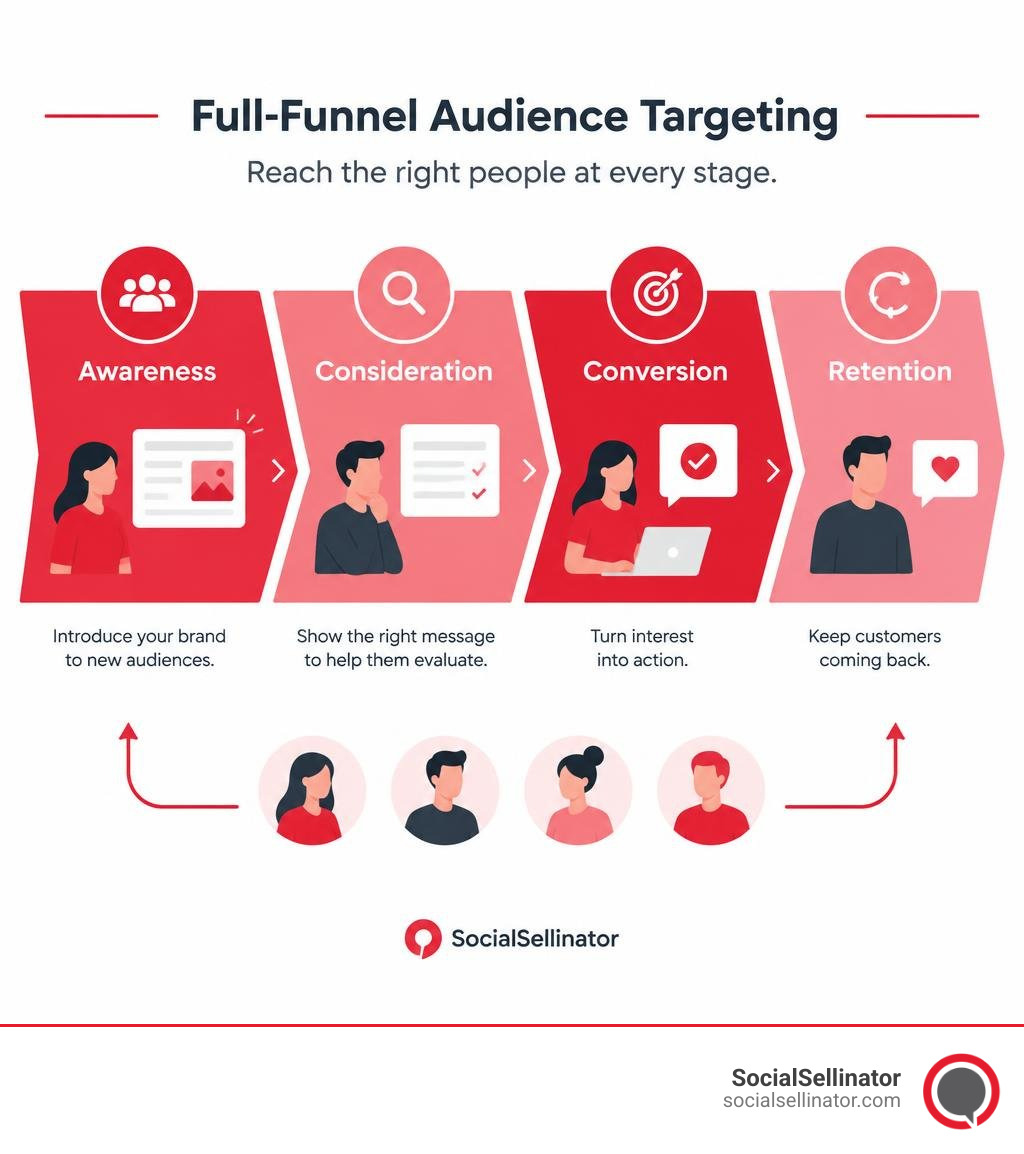
Aligning Google Ads Audience Targeting with Funnel Stages
A successful audience framework meets prospects at their exact stage of the customer journey with messaging that speaks to their immediate needs.
- Top-of-Funnel (Awareness): At this stage, prospective buyers may not know your brand or even realize they have a problem to solve. Use Affinity Segments, Detailed Demographics, and broad Custom Segments on Display, Video, and Demand Gen to introduce your value proposition cost-effectively.
- Mid-Funnel (Consideration): Prospects are actively evaluating solutions, researching alternatives, and comparing vendors. Reach them using In-Market Segments, Life Events, and search-term-based Custom Segments. Pair these mid-funnel segments with informative content, comparison guides, and solution-oriented ad copy.
- Bottom-of-Funnel (Conversion): These users have high commercial intent and are ready to buy. Re-engage them using Customer Match lists, Website Remarketing, and RLSA. Pair your audiences with high-intent keywords and conversion-optimized ad extensions.
- Retention & Loyalty: Do not abandon customers after the first purchase. Use segmented Customer Match lists to run cross-sell, up-sell, and loyalty campaigns while excluding them from top-of-funnel acquisition funnels.
To maximize efficiency across the search channel, carefully review how you are pairing audience layers with PPC keyword match types so that your phrase and broad match terms receive the right level of audience qualification.
How to Optimize Audience Exclusions and Prevent Ad Waste
Targeting who you want to reach is only half the battle; knowing who to exclude is what protects your profit margins. Audience exclusions prevent your ads from showing to low-value, irrelevant, or non-converting users, ensuring every ad dollar goes toward genuine opportunities.
Common audience exclusions include:
- Converted Customers: If you run a lead-generation campaign offering a free consultation, exclude your “All Converters (Past 90 Days)” list from the campaign. Failing to exclude recent converters leads to ad fatigue and wastes budget on prospects who are already in your sales pipeline.
- Current Customers on Acquisition Campaigns: Keep acquisition and retention budgets cleanly separated. Exclude your active customer CRM list from new-customer acquisition campaigns.
- Low-Performing Demographics: If historical sales data shows that specific household income brackets, age groups, or parental statuses consistently fail to convert or generate sub-par customer lifetime value, apply demographic exclusions at the campaign level.
- Job Seekers & Internal Employees: Create website-visit exclusions for users who visit your company’s
/careers/,/jobs/, or/employee-portal/pages to avoid paying for internal clicks.
Applying these strategic guardrails is a core pillar in mastering how to optimize Google Ads for long-term scalability and lean ad spend.
Best Practices for Google Ads Audience Targeting and Testing
To achieve sustainable, scalable growth through audience targeting, follow these disciplined optimization principles:
- Start Broad, Then Refine: When launching Search campaigns, avoid setting audiences to Targeting mode right away. Add 5 to 10 relevant in-market, affinity, and demographic segments in Observation mode. Let the campaign gather at least 30 days of clean performance data before applying bid adjustments or building separate segmented campaigns.
- Avoid Over-Segmentation: Layering too many restrictive criteria (e.g., an in-market audience + a specific demographic + a tight geographic radius + hyper-narrow match types) can shrink your audience size so much that your ads stop serving altogether. Ensure your combined segments maintain enough active users to allow Google’s bidding algorithms to optimize effectively.
- Maintain a Minimum 30-Day Testing Window: When testing new custom segments or audience layers, allow the test to run for at least 30 days or until each segment generates at least 30 conversions. Making rapid bidding changes based on tiny sample sizes often harms performance.
- Audit Demographic “Unknowns”: In Google Ads demographic reporting, a substantial portion of impressions falls into the “Unknown” category. Never exclude the “Unknown” bucket wholesale; doing so can cut your reachable audience by 30% or more, often removing viable converters whose profiles simply lack complete tracking data.
- Regularly Refresh First-Party Lists: Stale Customer Match lists degrade in match rate and relevance. Establish an automated CRM sync or update your customer email lists at least monthly to keep your first-party signals accurate.
A routine checklist for maintaining audience health includes:
- Review Audience Insights reports bi-weekly to identify emerging converting segments.
- Check the size of your remarketing lists to verify that website tracking tags are recording events properly.
- Compare CPA and ROAS between Observation audiences and baseline search traffic.
- Apply negative bid adjustments or exclusions to segments that consume budget without converting.
- Update seasonal customer lists ahead of major promotional pushes.
Frequently Asked Questions About Audience Targeting
What is the difference between Targeting and Observation settings?
The primary difference lies in how ad delivery is restricted. The Targeting setting narrows your campaign’s reach so that your ads only appear to users within the selected audience segments. If a user does not belong to that list, they will not see your ad, regardless of what search query they enter.
The Observation setting, on the other hand, preserves your full campaign reach. Ads are served to anyone matching your keyword or contextual targeting, while Google simultaneously tracks how users within the observed audience segments perform. This allows you to collect data, compare conversion rates, and apply manual bid modifiers without shrinking your impressions.
What are the eligibility requirements for Customer Match?
To use Customer Match in Google Ads, your account must meet several operational and policy criteria:
- The uploaded list must contain a minimum of 100 active, matched users for ads to serve across Google properties.
- Google recommends uploading a list of at least 5,000 customer records to ensure a robust match rate and sufficient delivery volume.
- Customer records can have a maximum membership duration of up to 540 days.
- To unlock full, unrestricted Customer Match capabilities (such as manual bidding controls, observation modes, and exclusions across Search, Shopping, and Display), your Google Ads account must have a clean policy compliance history, at least 90 days of account activity, and a minimum of $50,000 USD in lifetime spend. Accounts below this spend threshold can still utilize Customer Match in Smart Bidding campaigns as audience signals.
How does optimized targeting differ from audience expansion?
While both features use Google’s machine learning to grow your audience, they operate on different principles:
- Audience Expansion looks for users who share similar characteristics, demographic profiles, and interests with your existing seed lists (similar to traditional lookalike modeling). It expands outward based on profile similarity.
- Optimized Targeting looks for users who are most likely to convert based on real-time conversion data, landing page analysis, and dynamic converter profiles. Instead of strictly sticking to users who look like your seed audience, optimized targeting will serve ads to entirely new segments if real-time behavioral data shows they have a high probability of completing your conversion goal.
Conclusion
Mastering audience targeting in Google Ads allows businesses to move beyond generic keyword matching and build highly profitable, conversion-focused campaigns. By strategically deploying affinity, in-market, custom, and first-party customer segments across a structured marketing funnel, you ensure that every ad reaches the right prospect with the right message at the right time.
Scaling pay-per-click campaigns while protecting your return on ad spend requires continuous data analysis, strategic testing in Observation mode, proactive exclusion management, and seamless integration with modern automated bidding algorithms.
Whether you need to refine your search targeting, activate your first-party customer data, or scale conversions across Performance Max, you can partner with our Google advertising services team to build a comprehensive digital marketing strategy tailored to your growth goals.
Headquartered in San Jose, in the heart of Silicon Valley and the San Francisco Bay Area, SocialSellinator proudly provides top-tier digital marketing, SEO, PPC, social media management, and content creation services to B2B and B2C SMB companies. While serving businesses across the U.S., SocialSellinator specializes in supporting clients in key cities, including Austin, Boston, Charlotte, Chicago, Dallas, Denver, Kansas City, Los Angeles, New York, Portland, San Diego, San Francisco, and Washington, D.C.